Overview
The Mesh System is an experimental concept built on GenUI (Generative User Interface), a framework that designs itself in response to user behavior. It explores how AI-driven systems can move beyond static layouts and become adaptive, temporal, and context-aware. Instead of fixed screens, Mesh treats the interface as a living ecosystem where information expands, collapses, and reorganizes through time and interaction.

Design Problem
Traditional interfaces trap users in linear workflows, making it hard to track context or compare decisions as they evolve. Users lose sight of how past actions shape current outcomes, especially with dynamic, AI-generated data. The challenge was to make time, uncertainty, and decision history visible while keeping them interactive and understandable.
User Persona & Flow

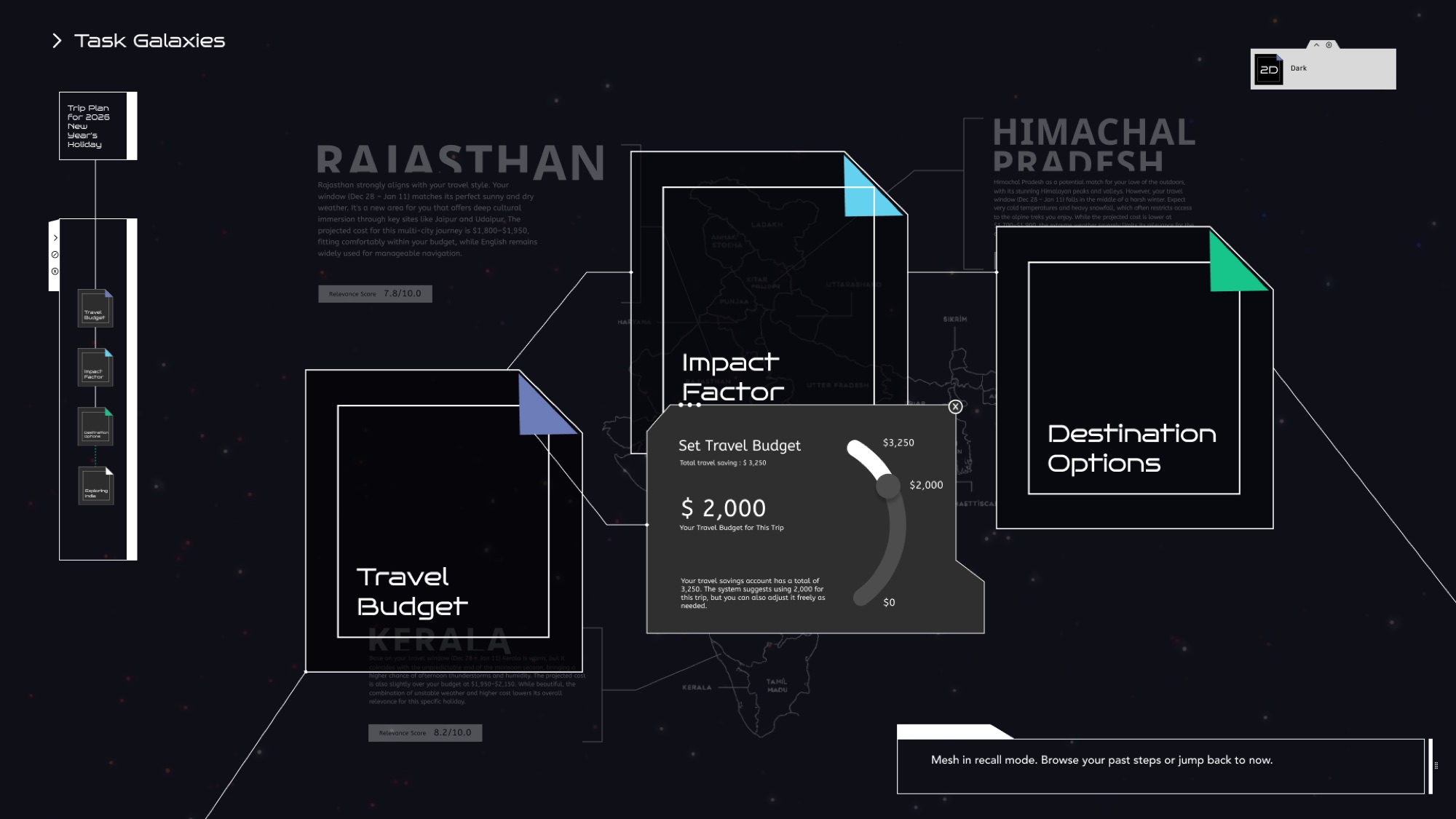
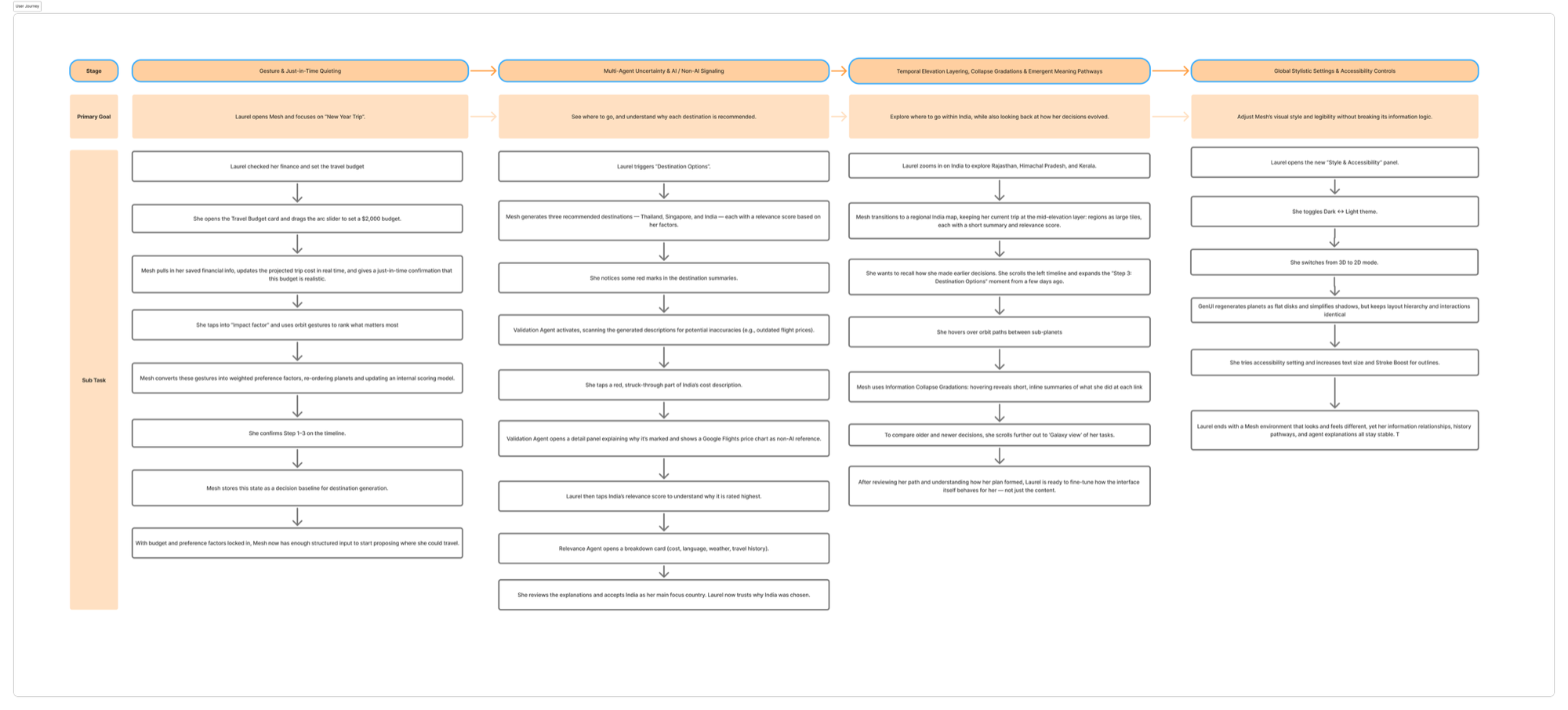
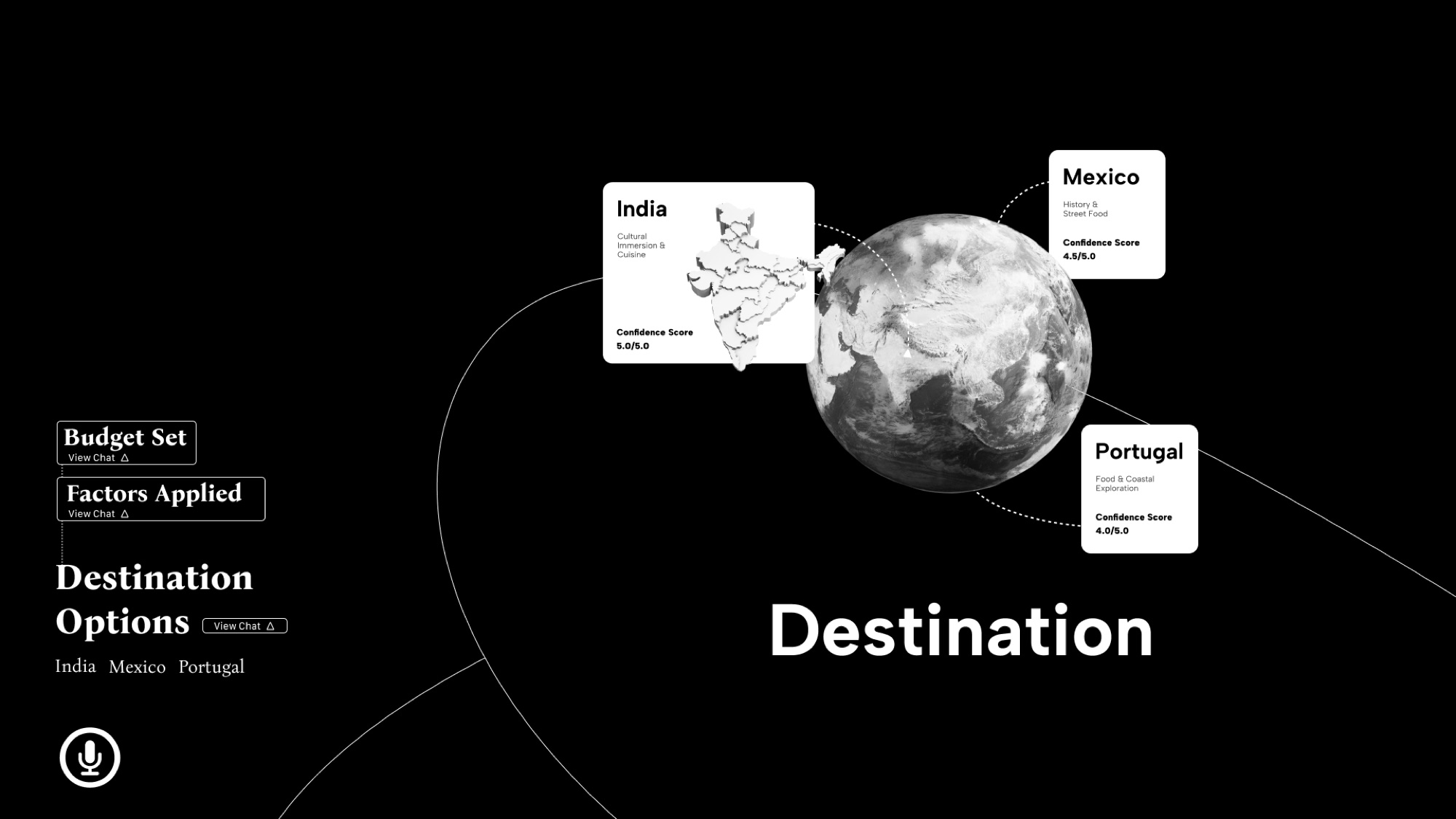
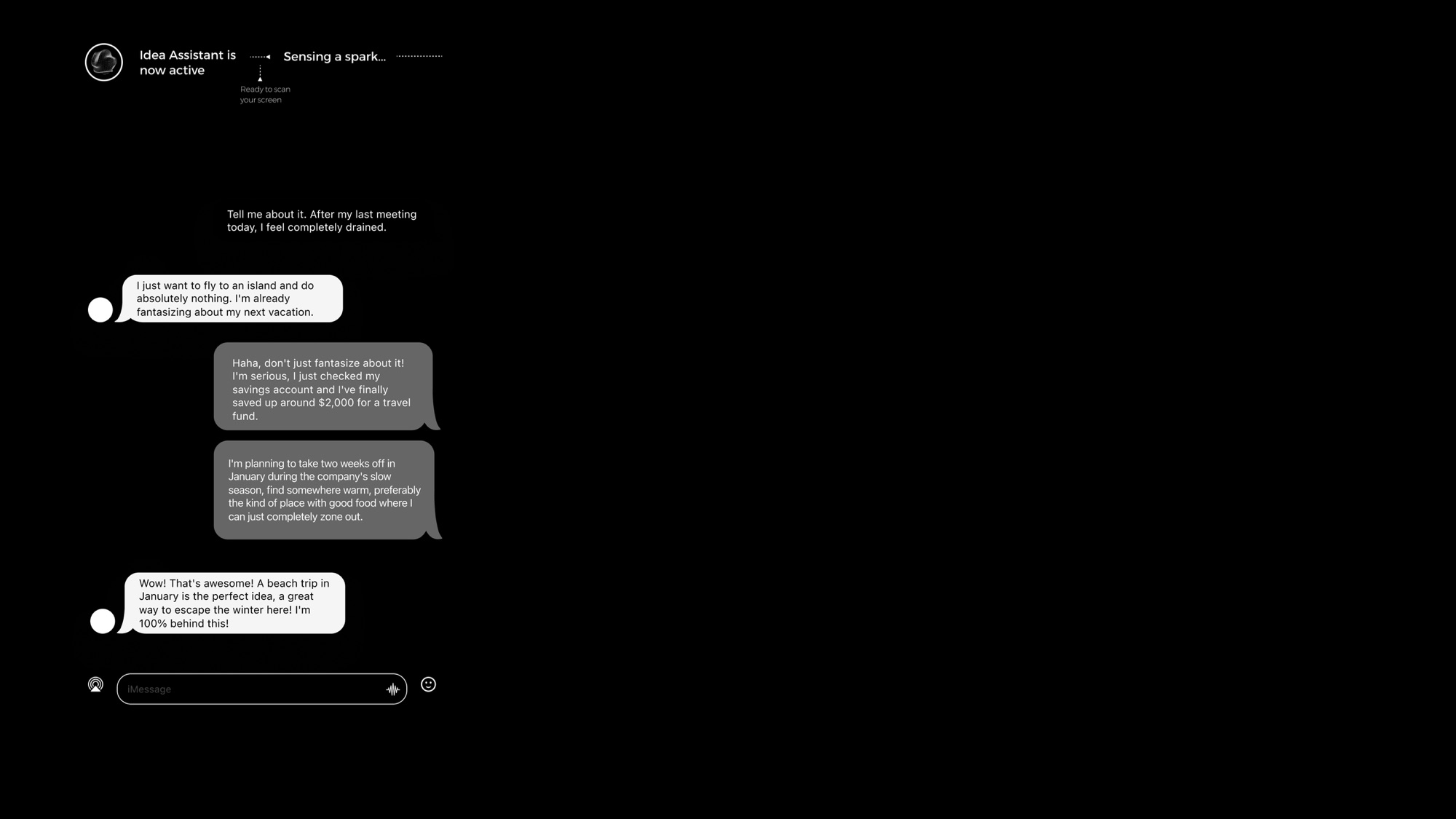
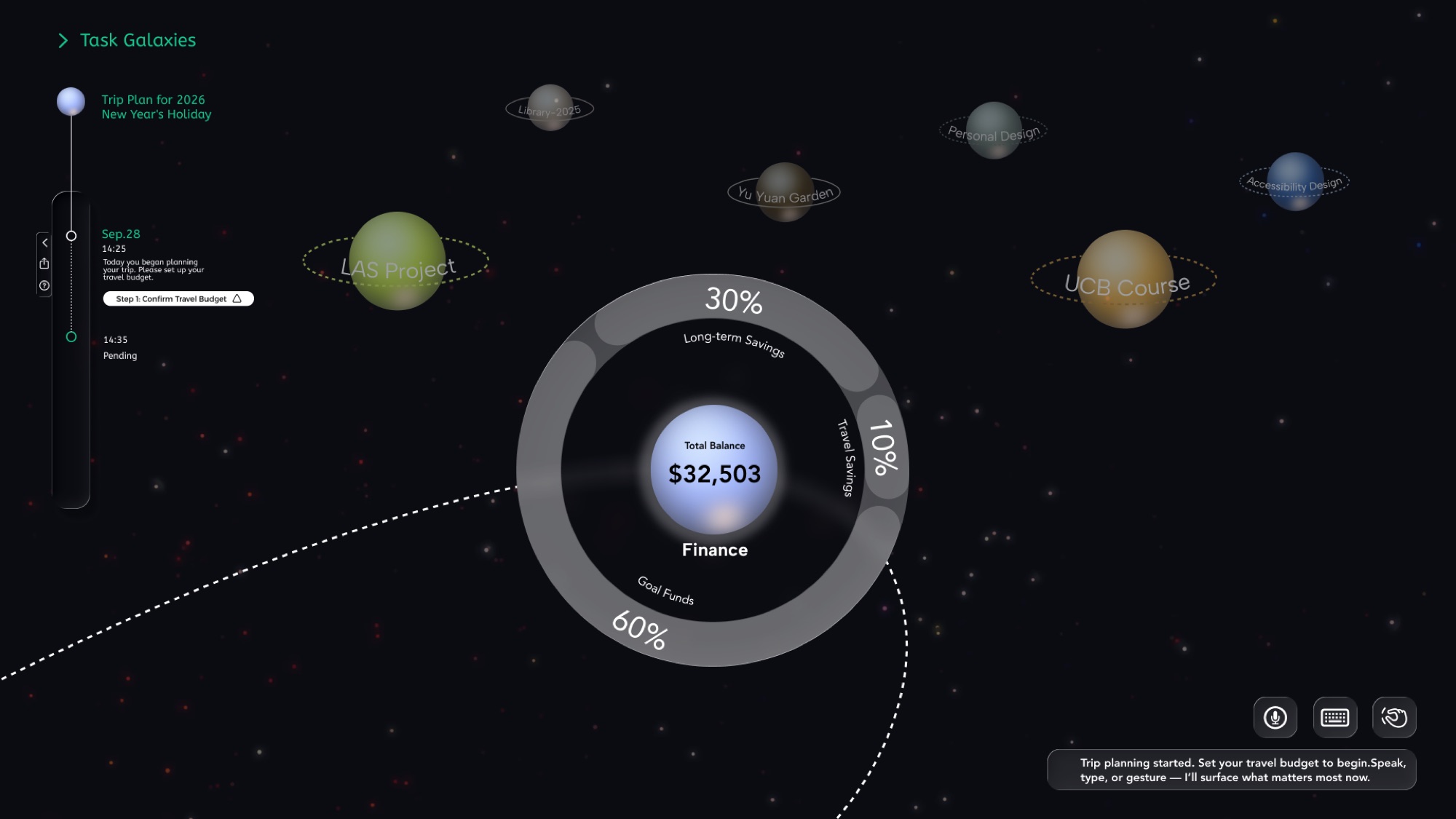
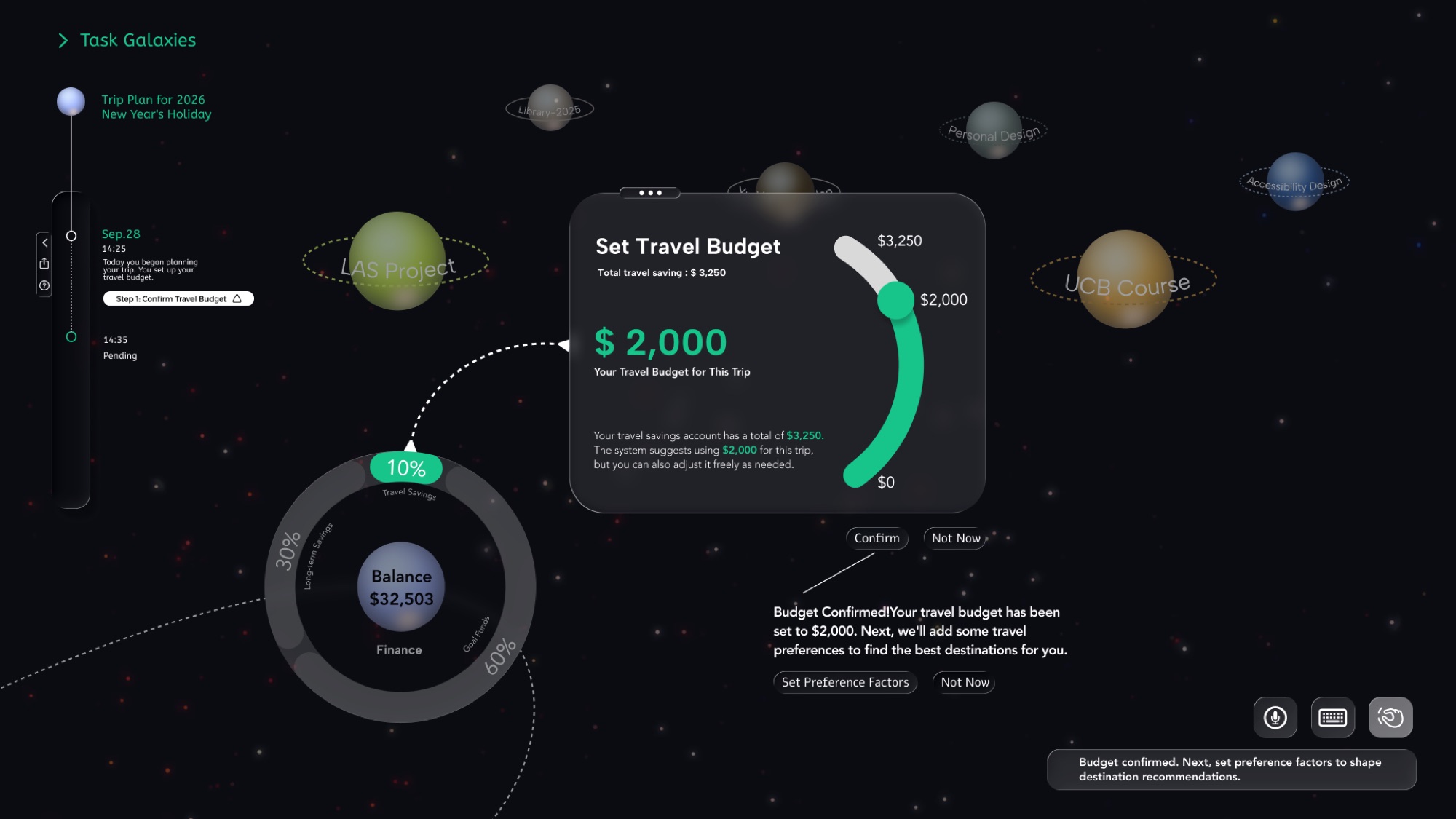
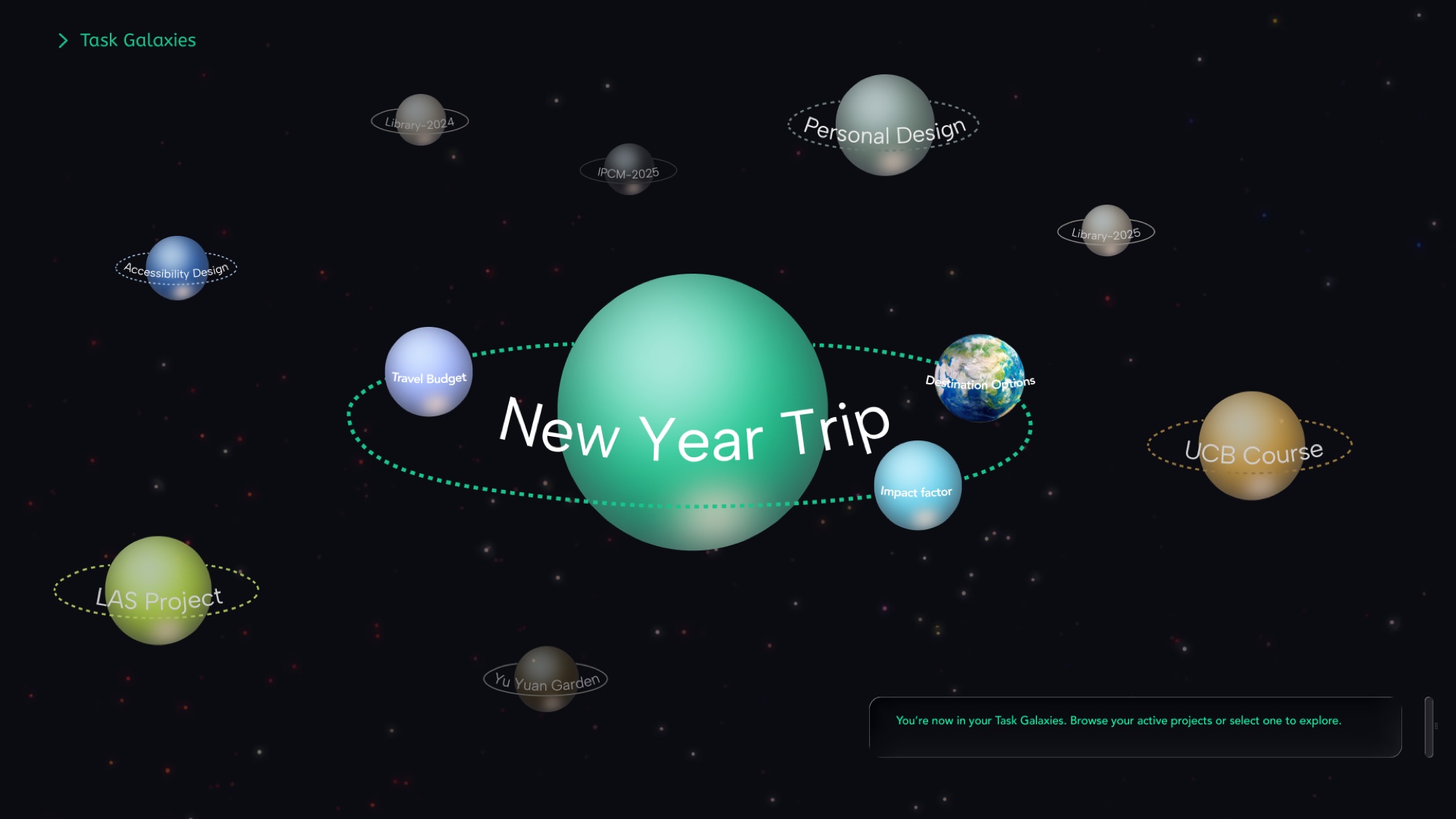
Laurel, a design researcher, uses Mesh to manage her personal and professional tasks. She values clarity, context, and continuity. She is planning a New Year trip, and Mesh helps her set budgets, choose destinations, and see how earlier decisions shaped current recommendations.
Goals- Understand how past decisions affect current outcomes.
- Quickly recall context while exploring new information.
- Move fluidly between detailed and global views.
- Losing track of context in complex systems.
- Comparing past decisions with new AI suggestions.
- Visual clutter when too much stays on screen.
User flow
Sketches & Wireframes
Manuscripts
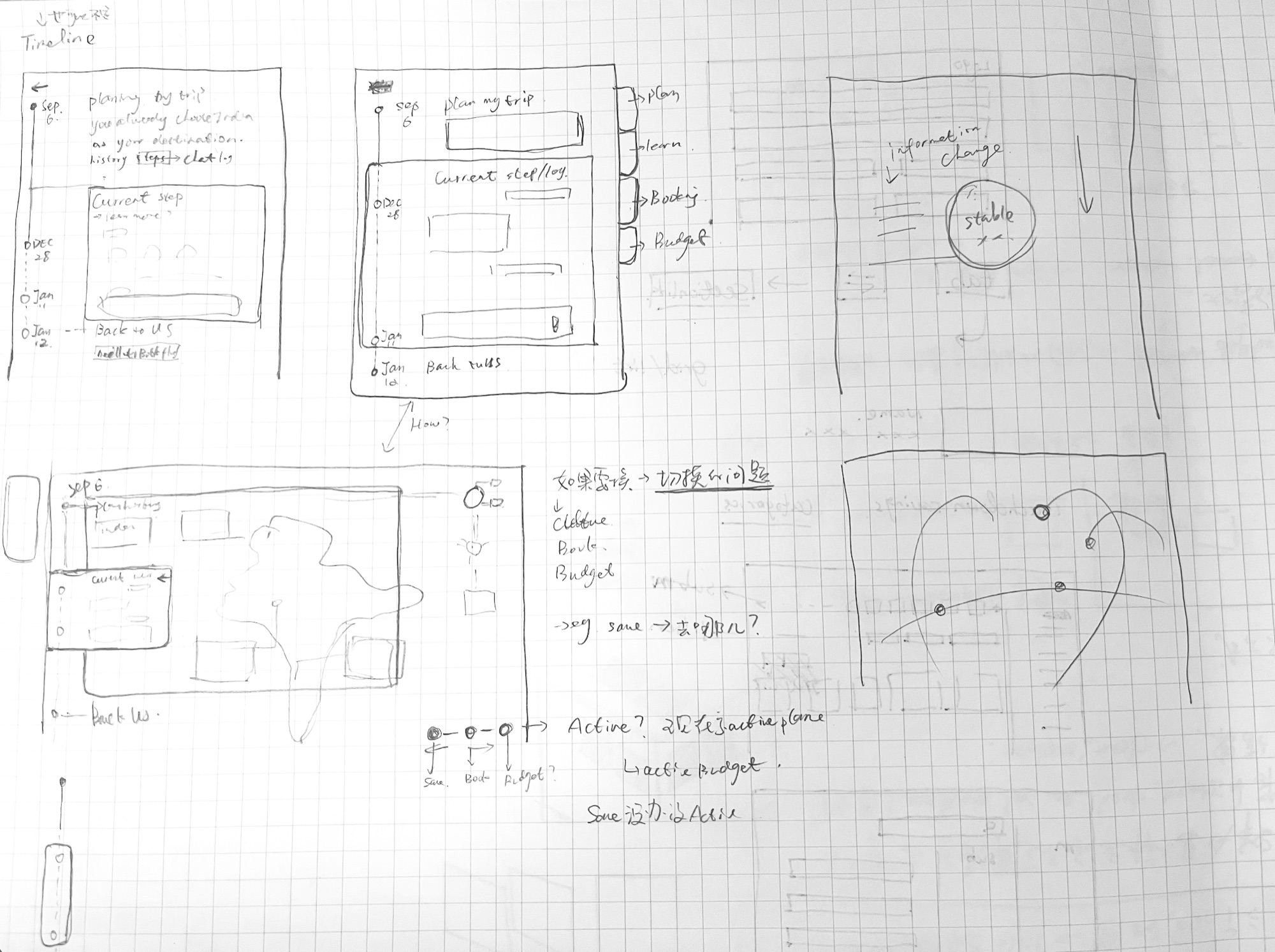
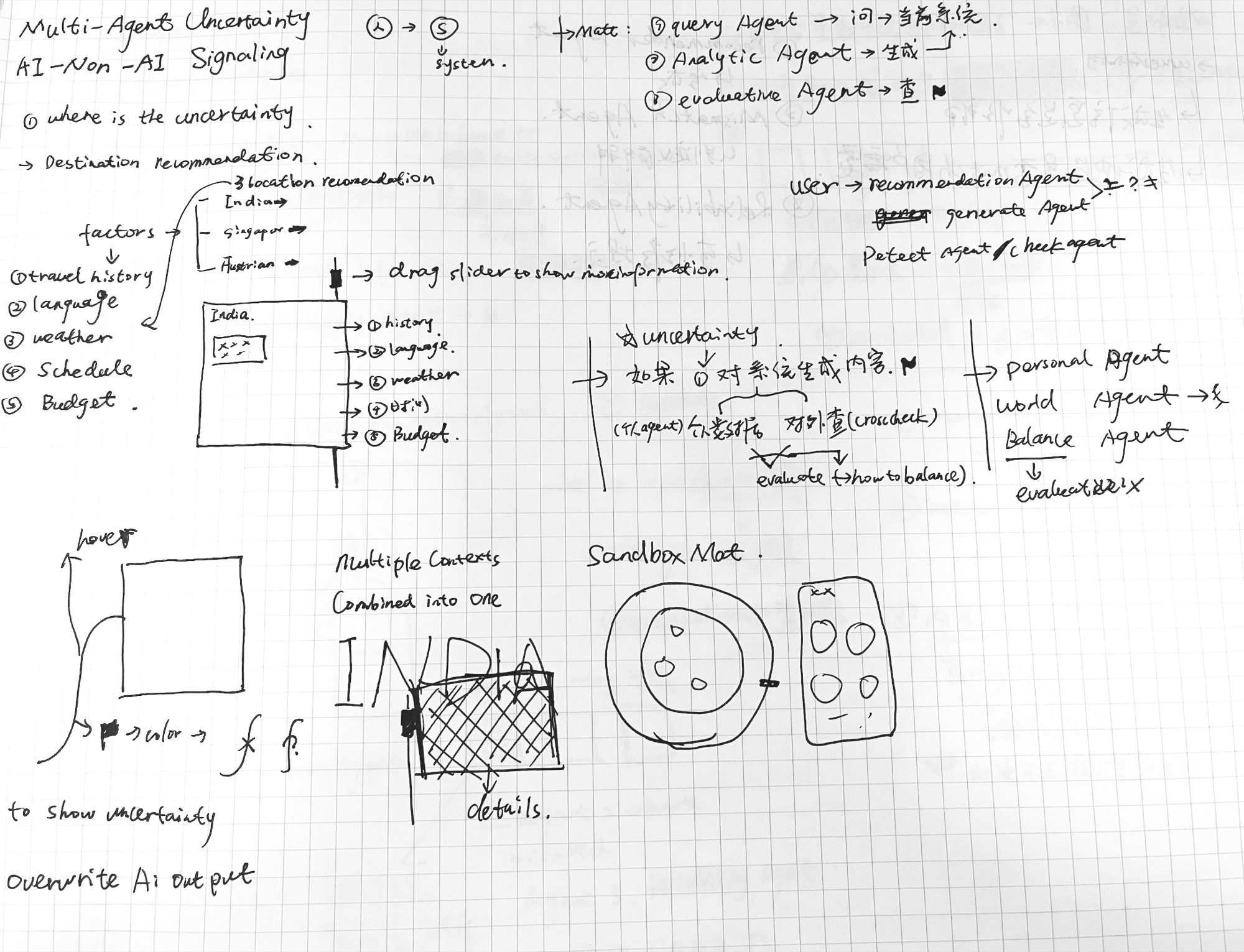
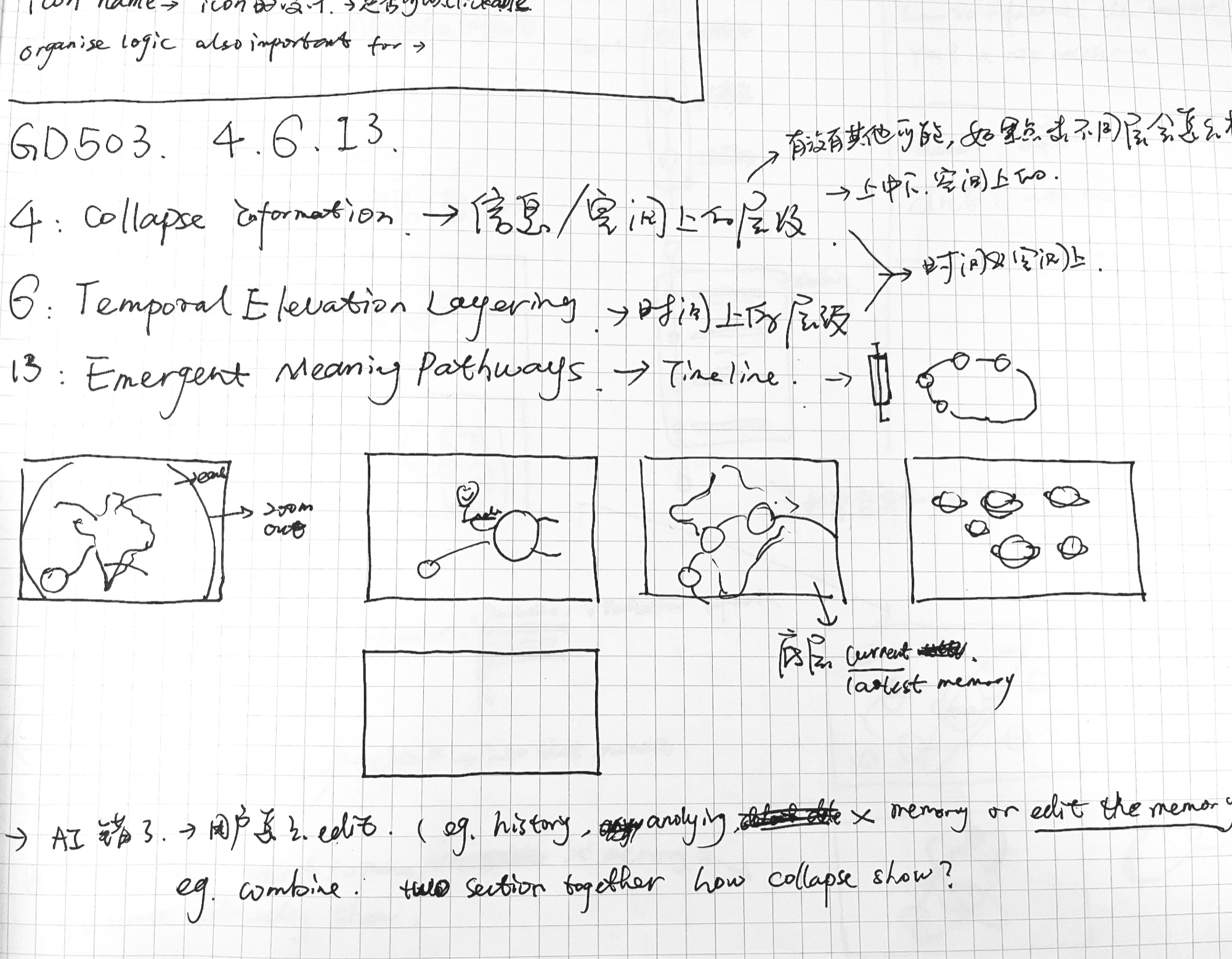
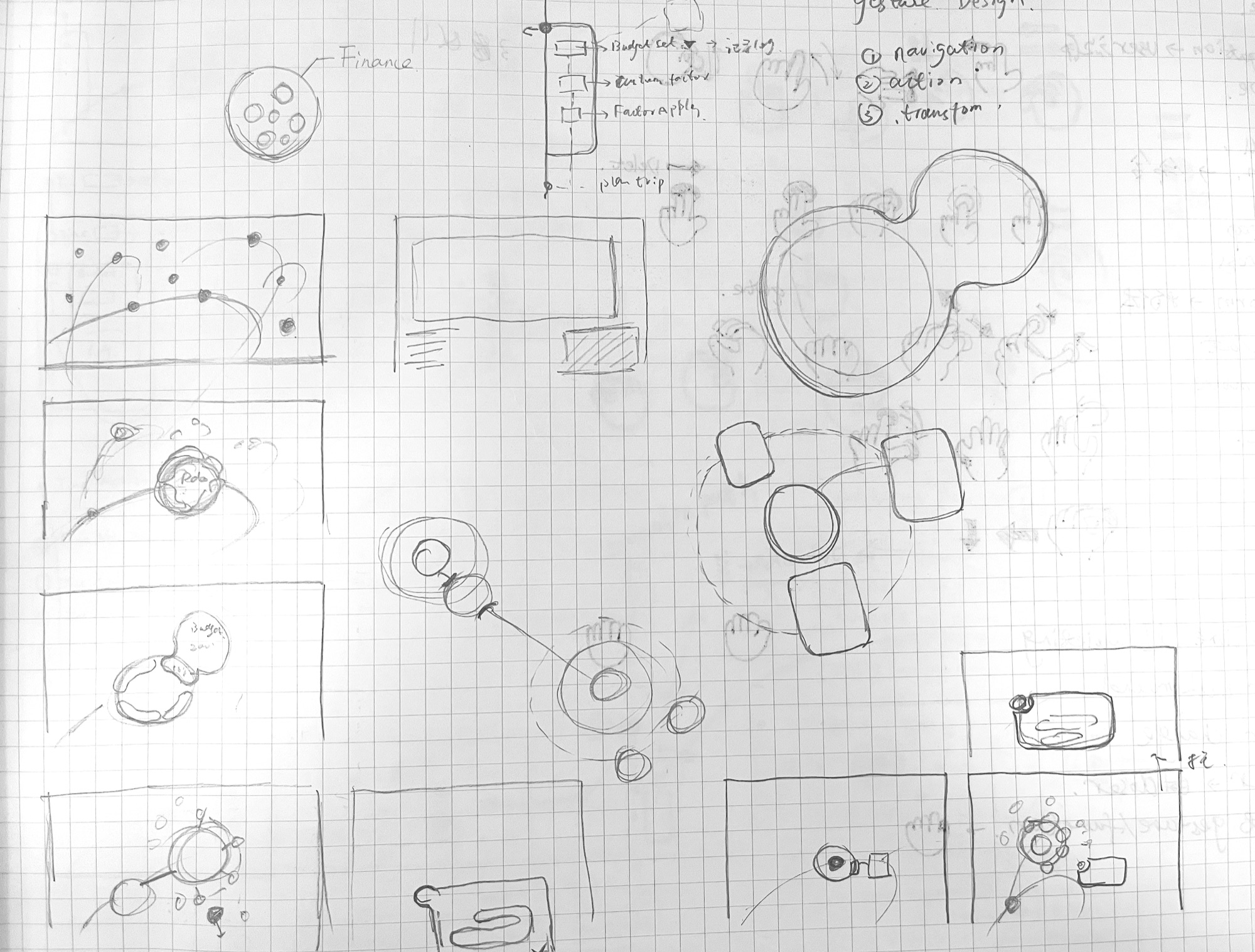
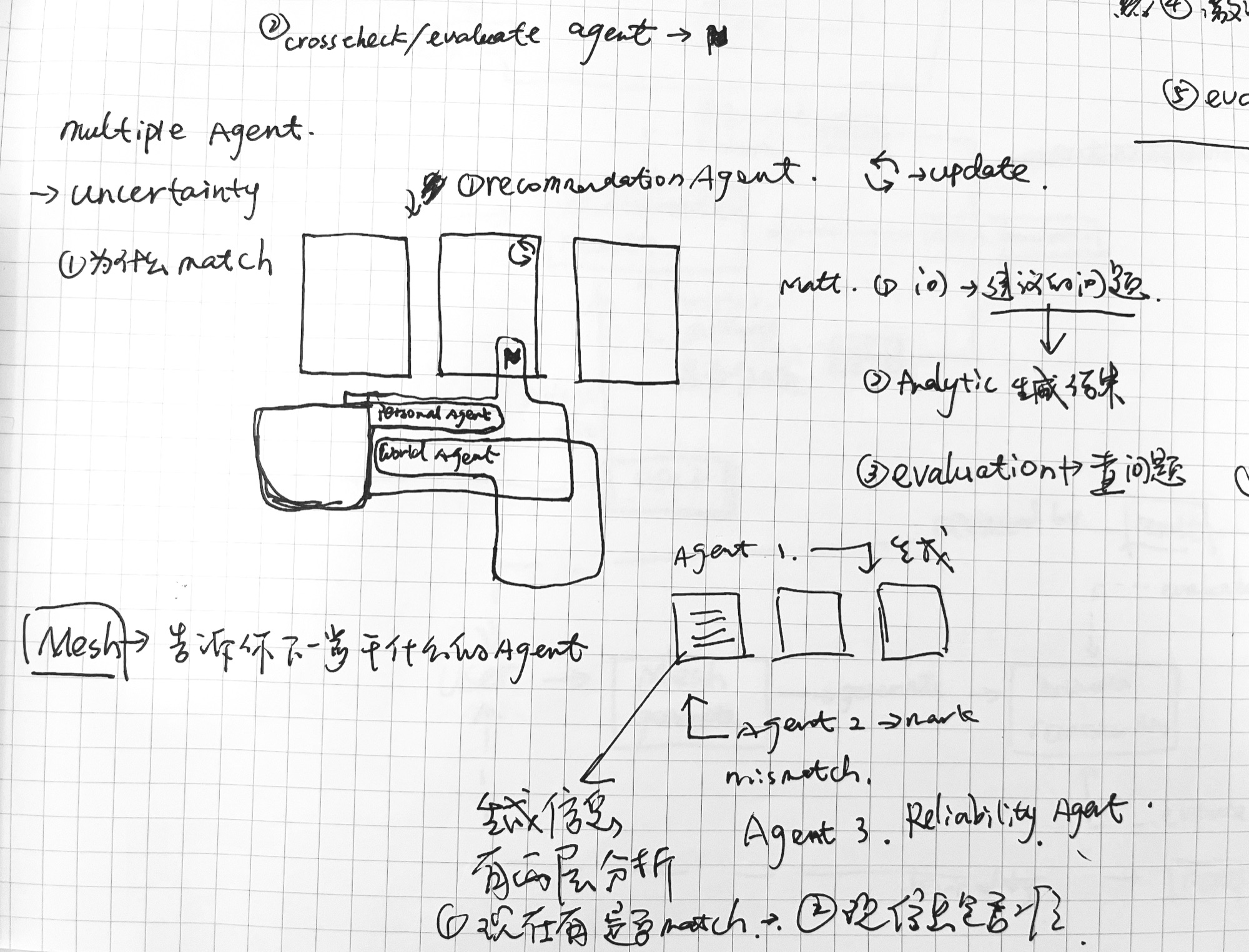
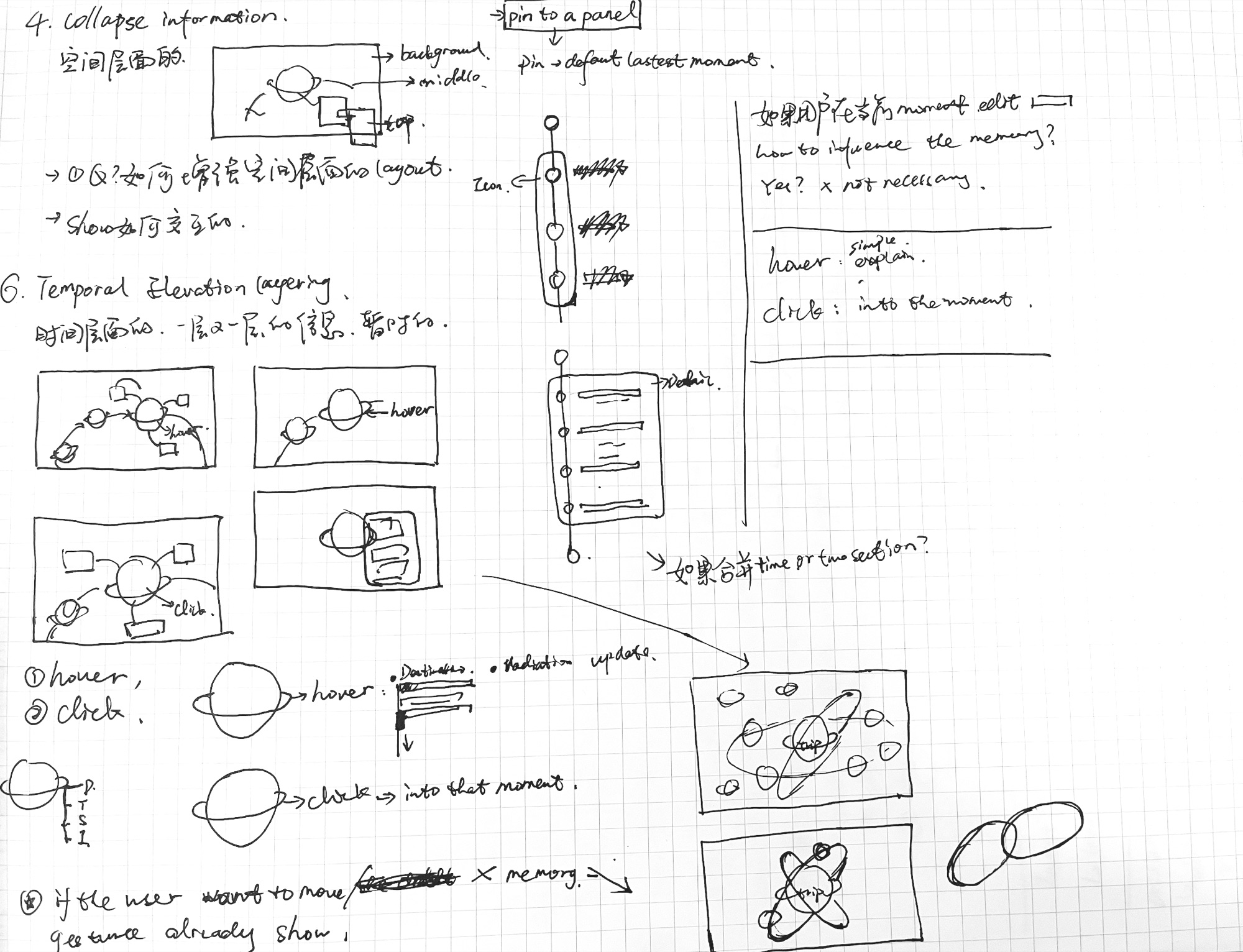
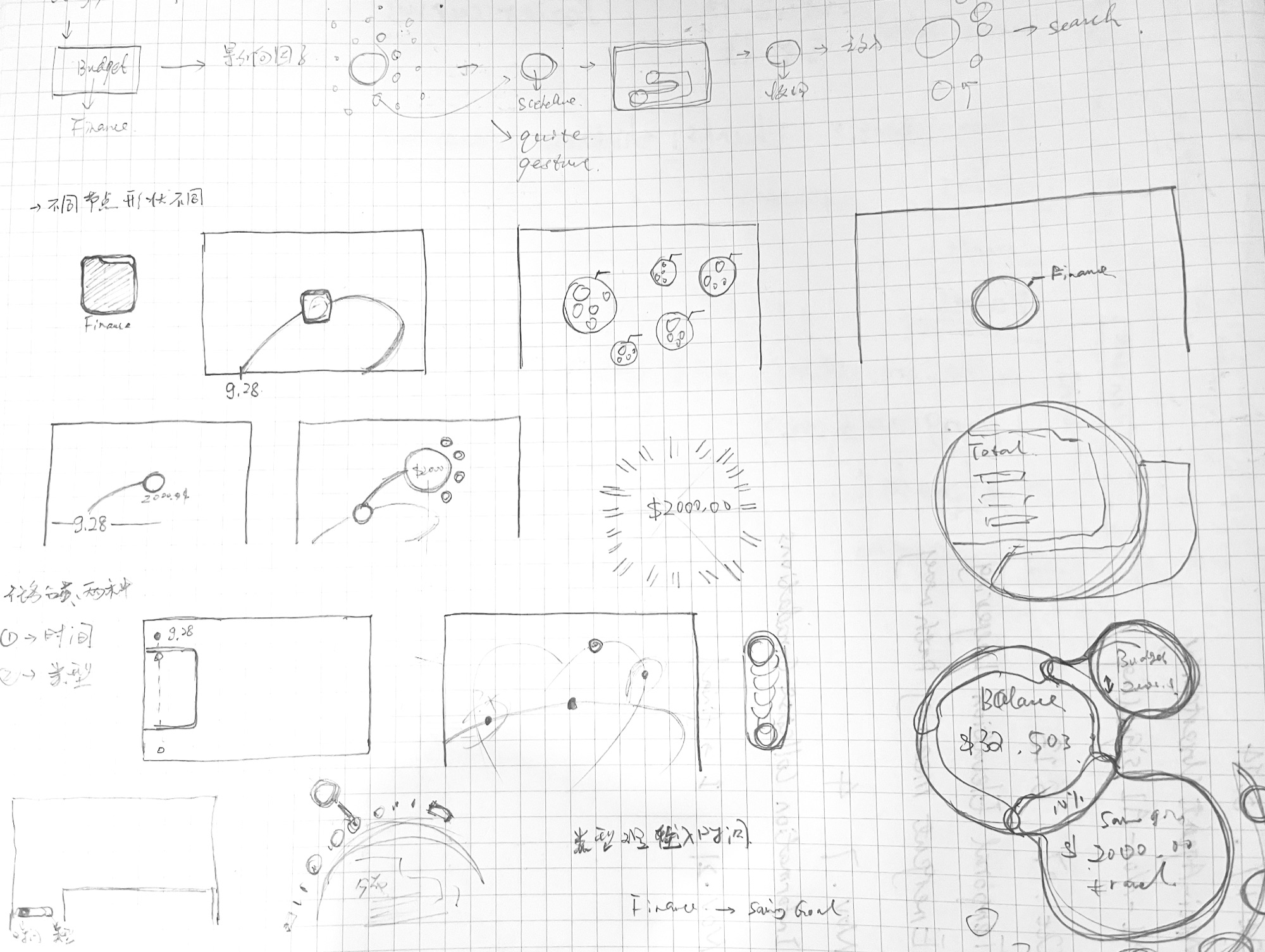
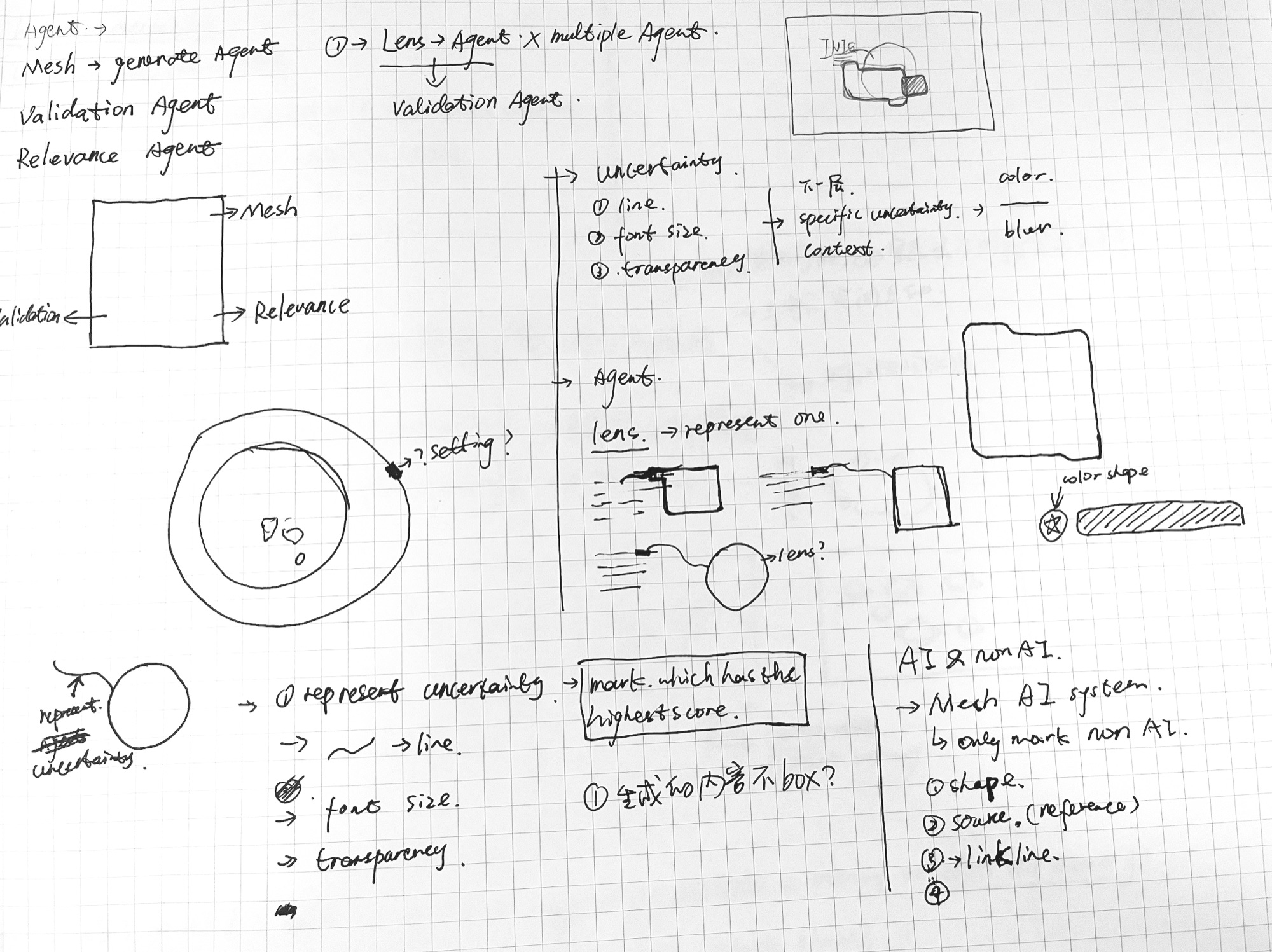
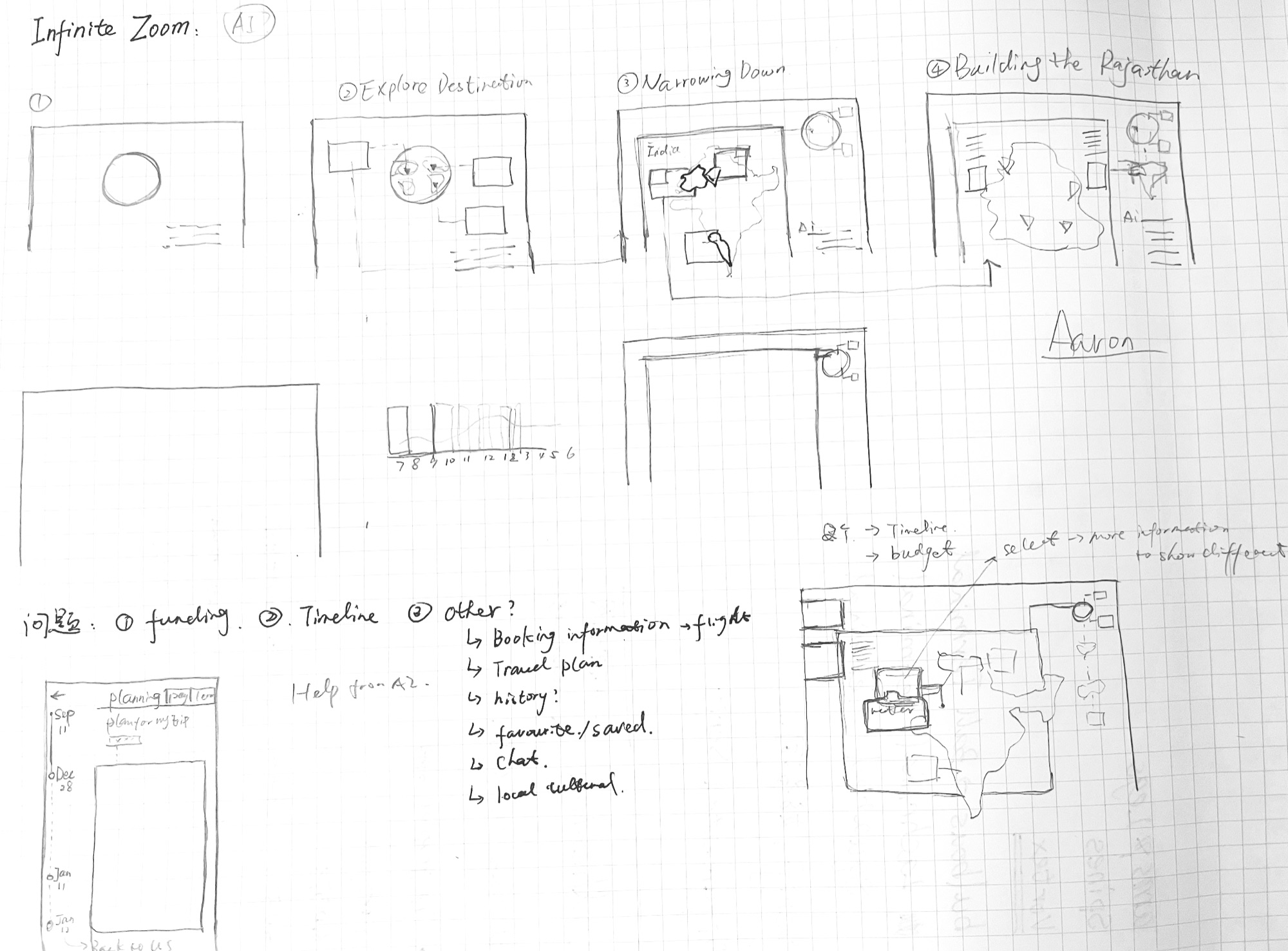
I sketched by hand to iterate quickly on how to show time and uncertainty, exploring the most natural interactions between people and generative AI.
Low-fidelity wireframes
I tried three interaction models for complex travel data, from conversational guidance to spatial mapping. The final design synthesizes all three, keeping the most efficient visual patterns and navigation logic from each.
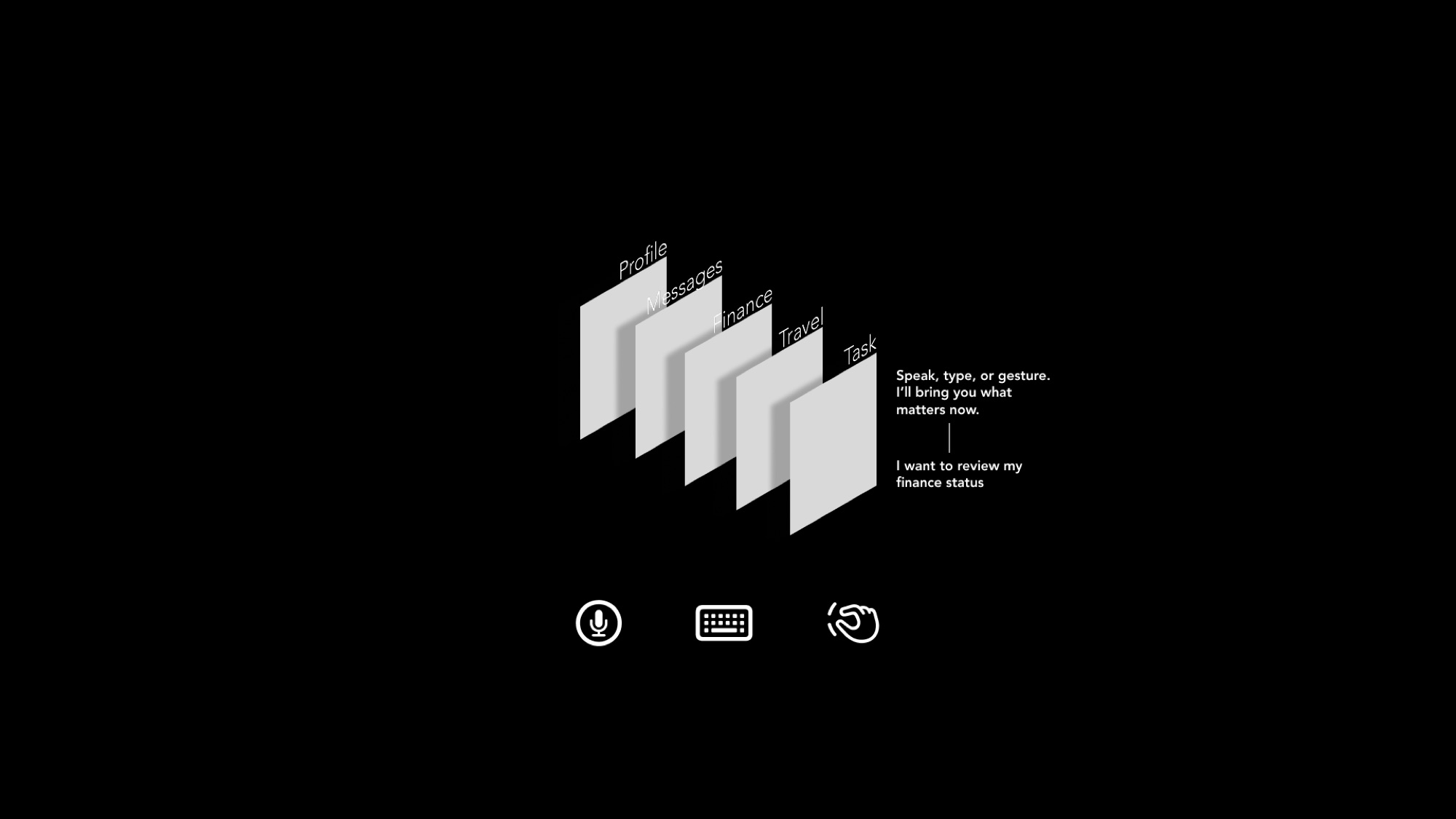
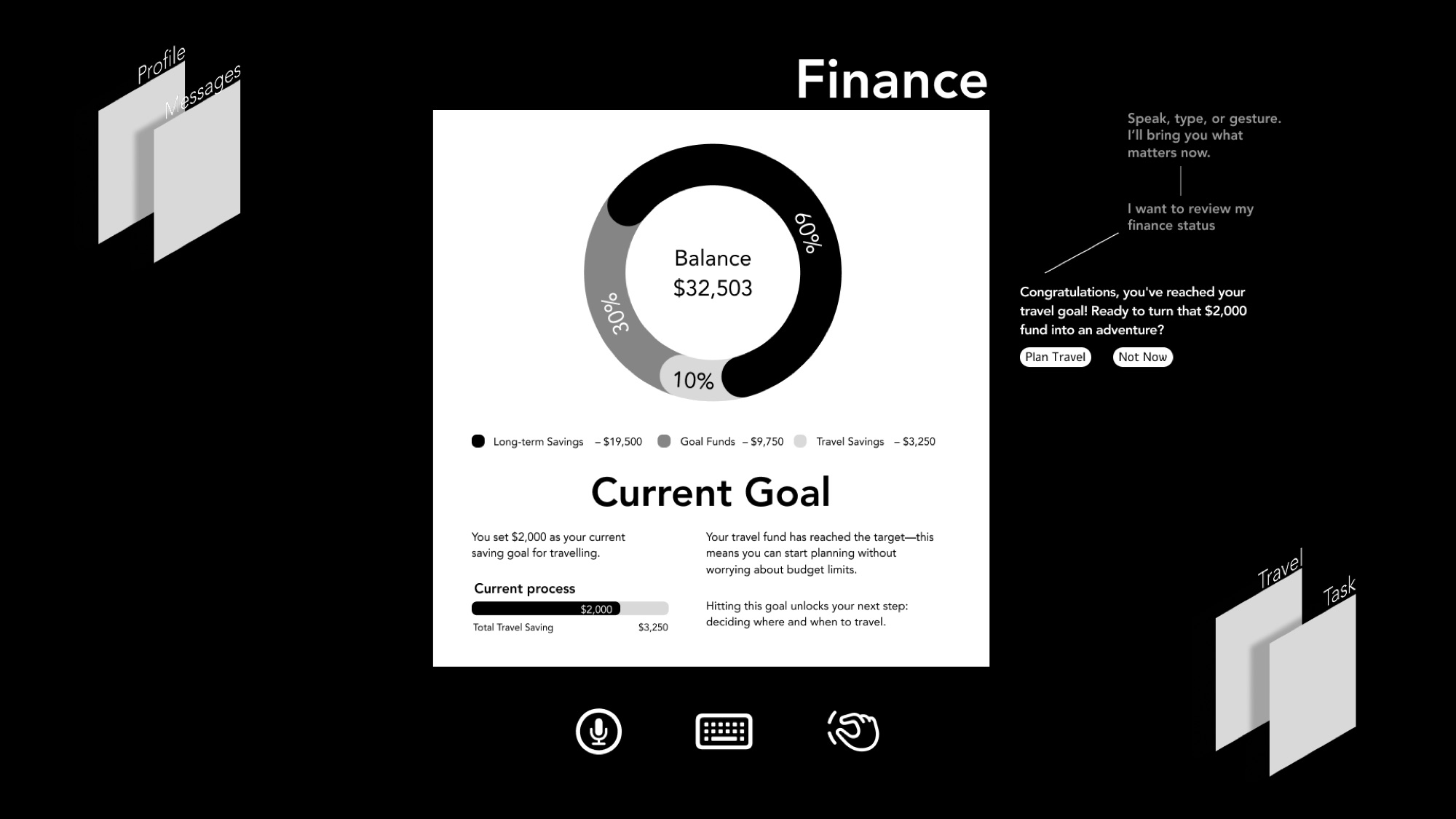
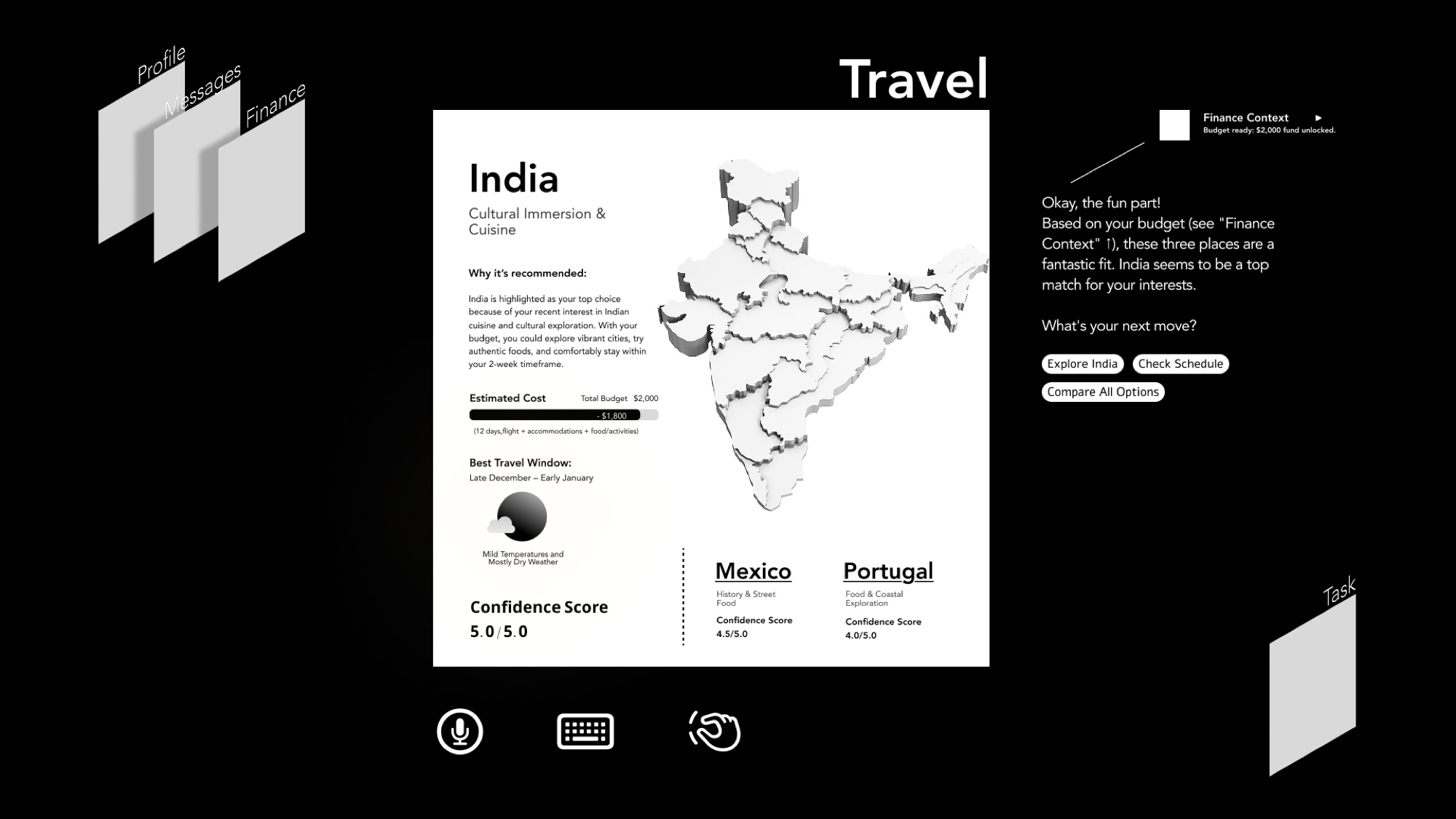
Stage 1: Gesture & Just-in-Time Quieting
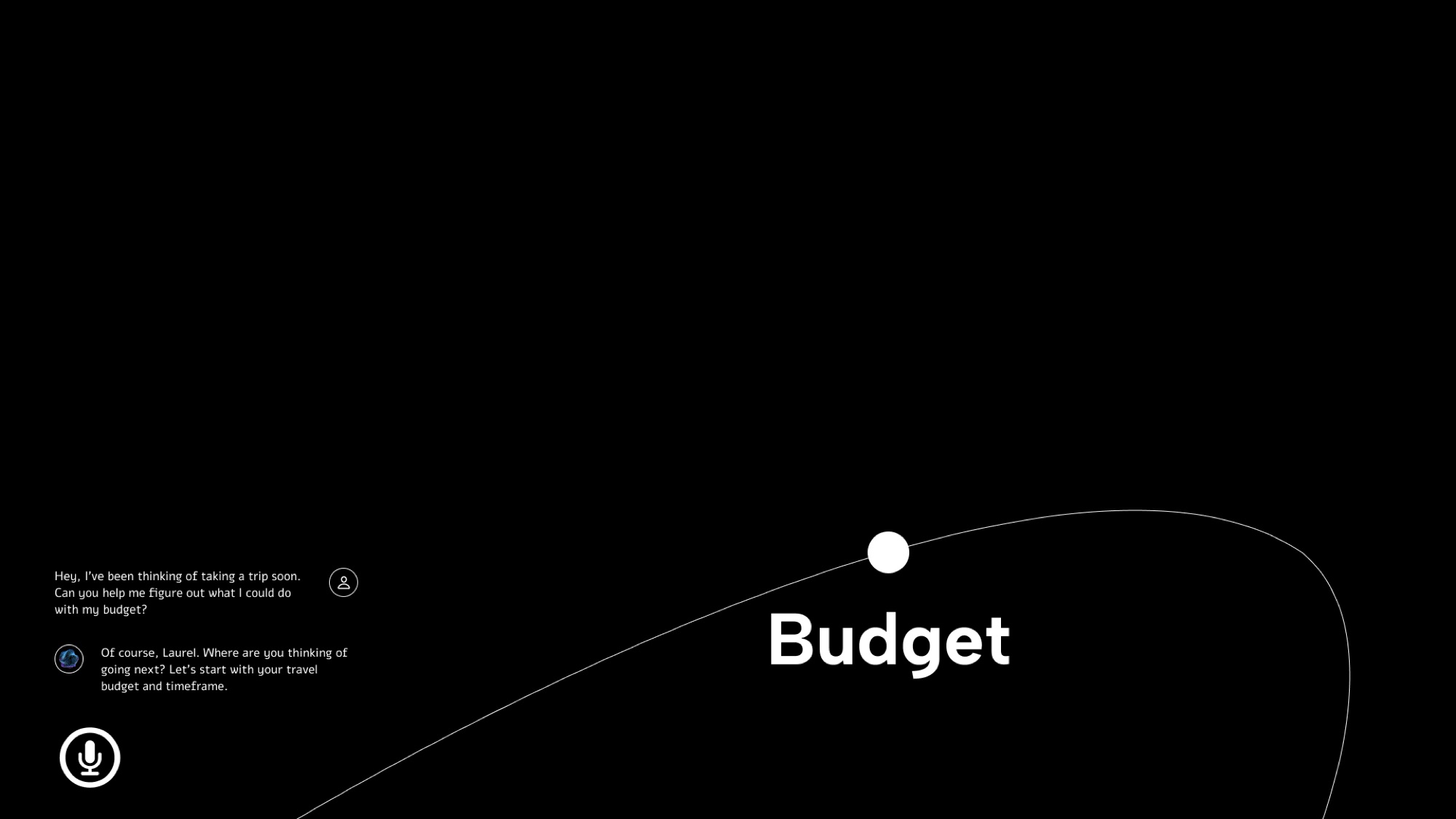
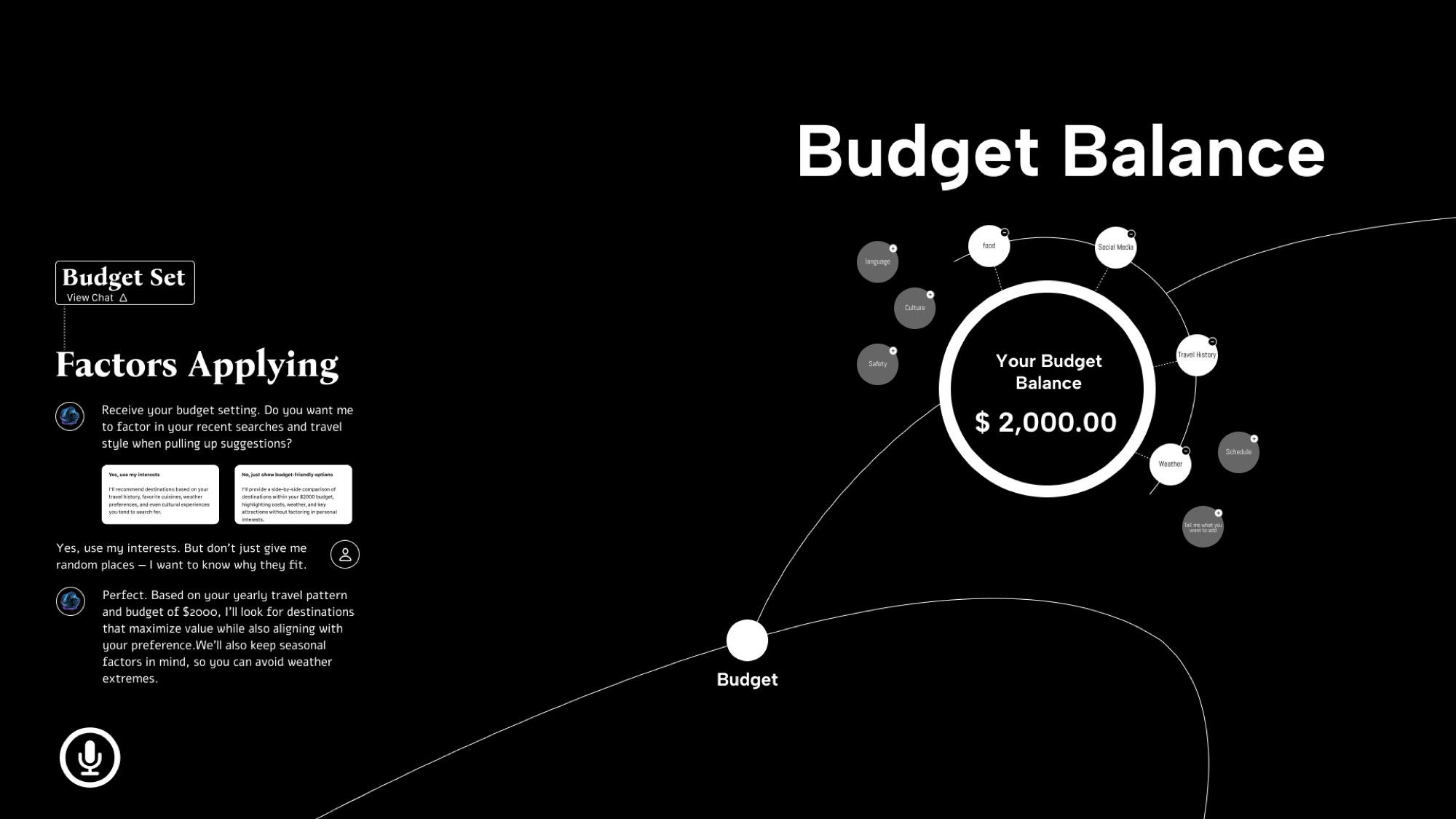
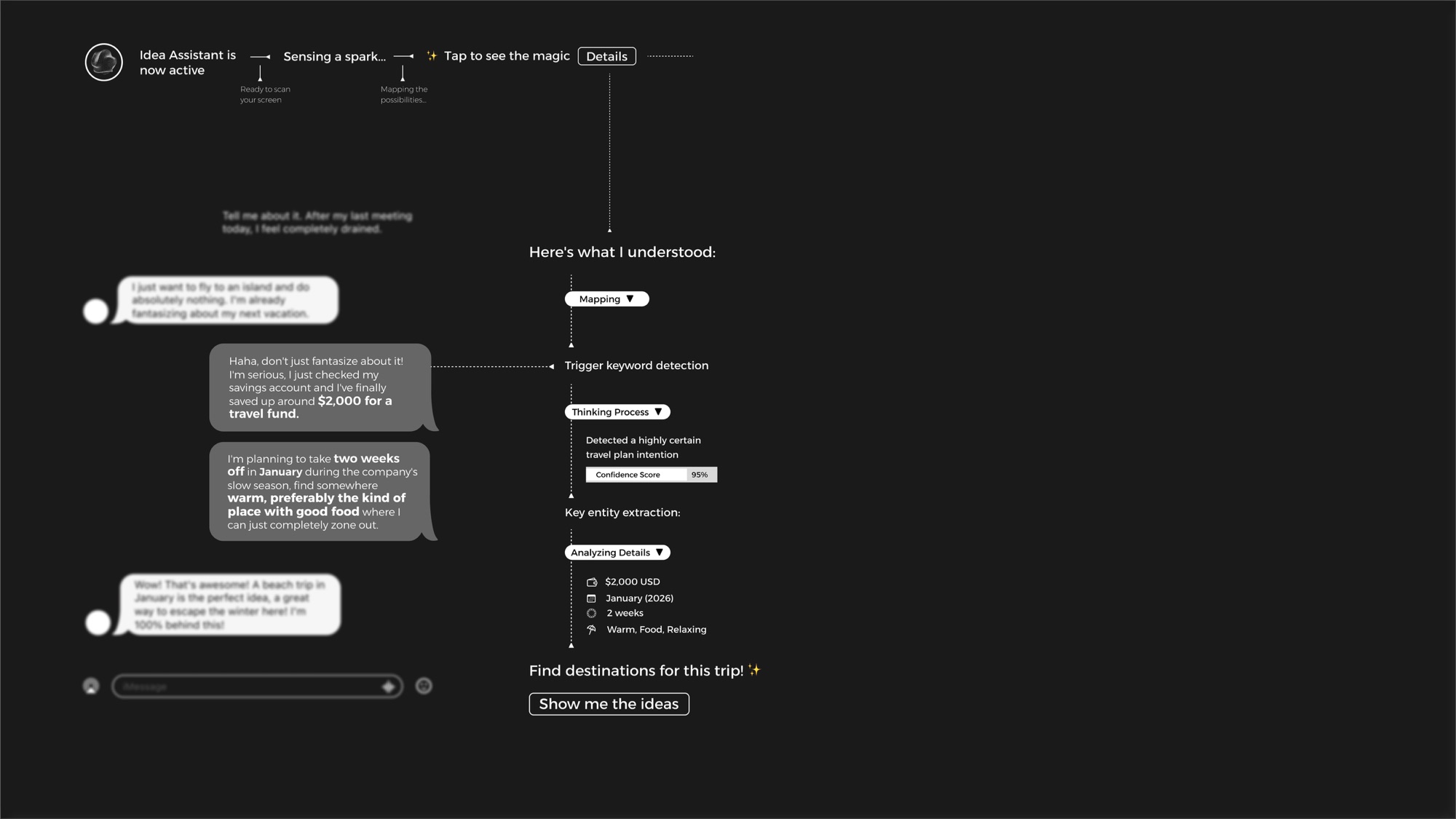
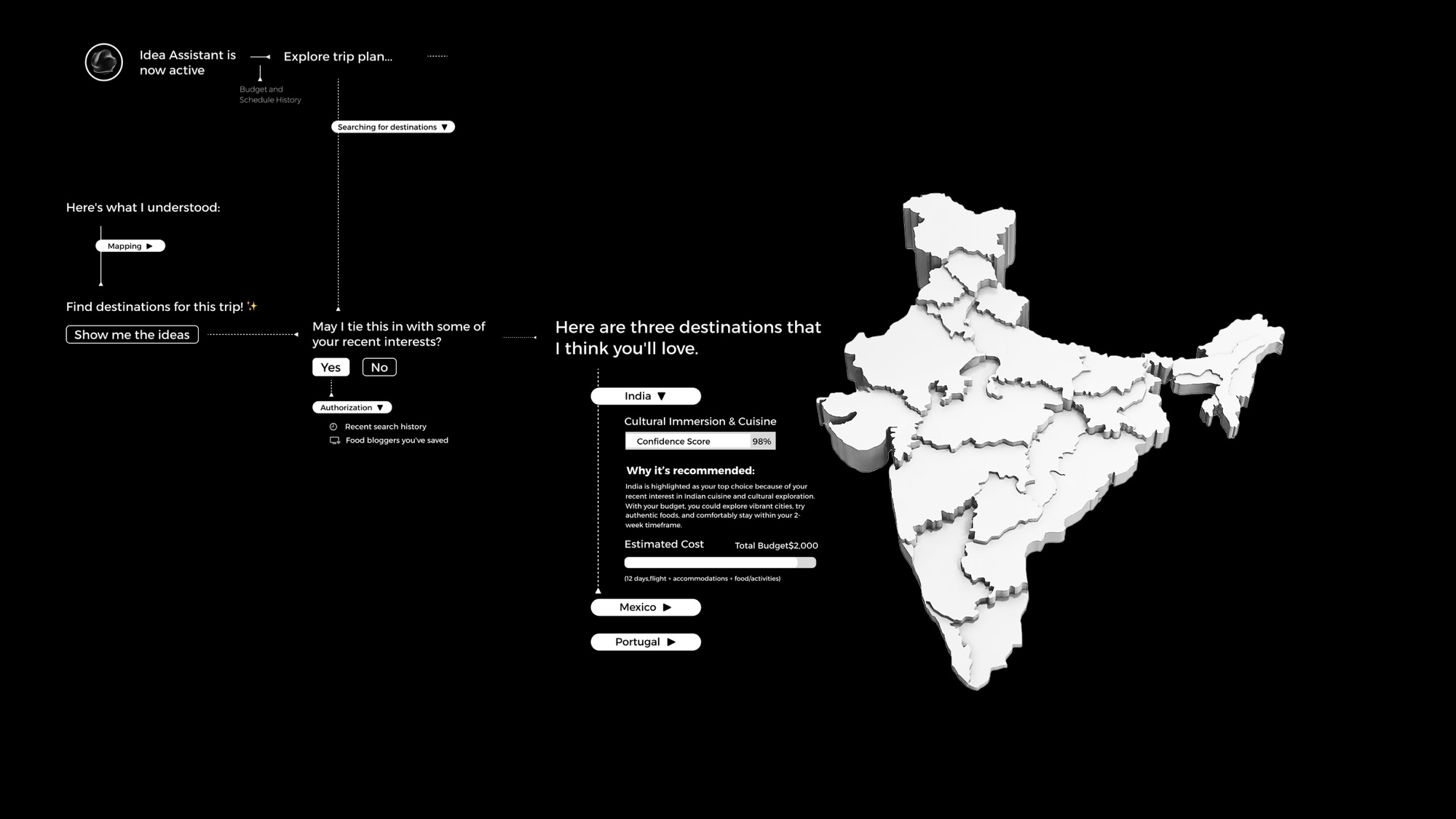
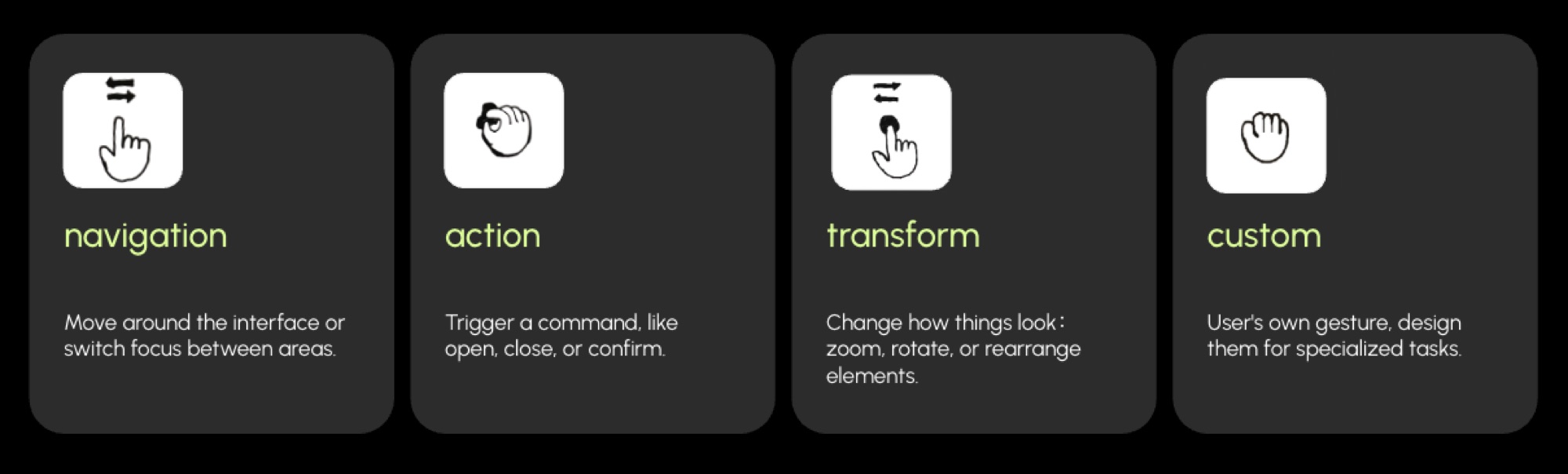
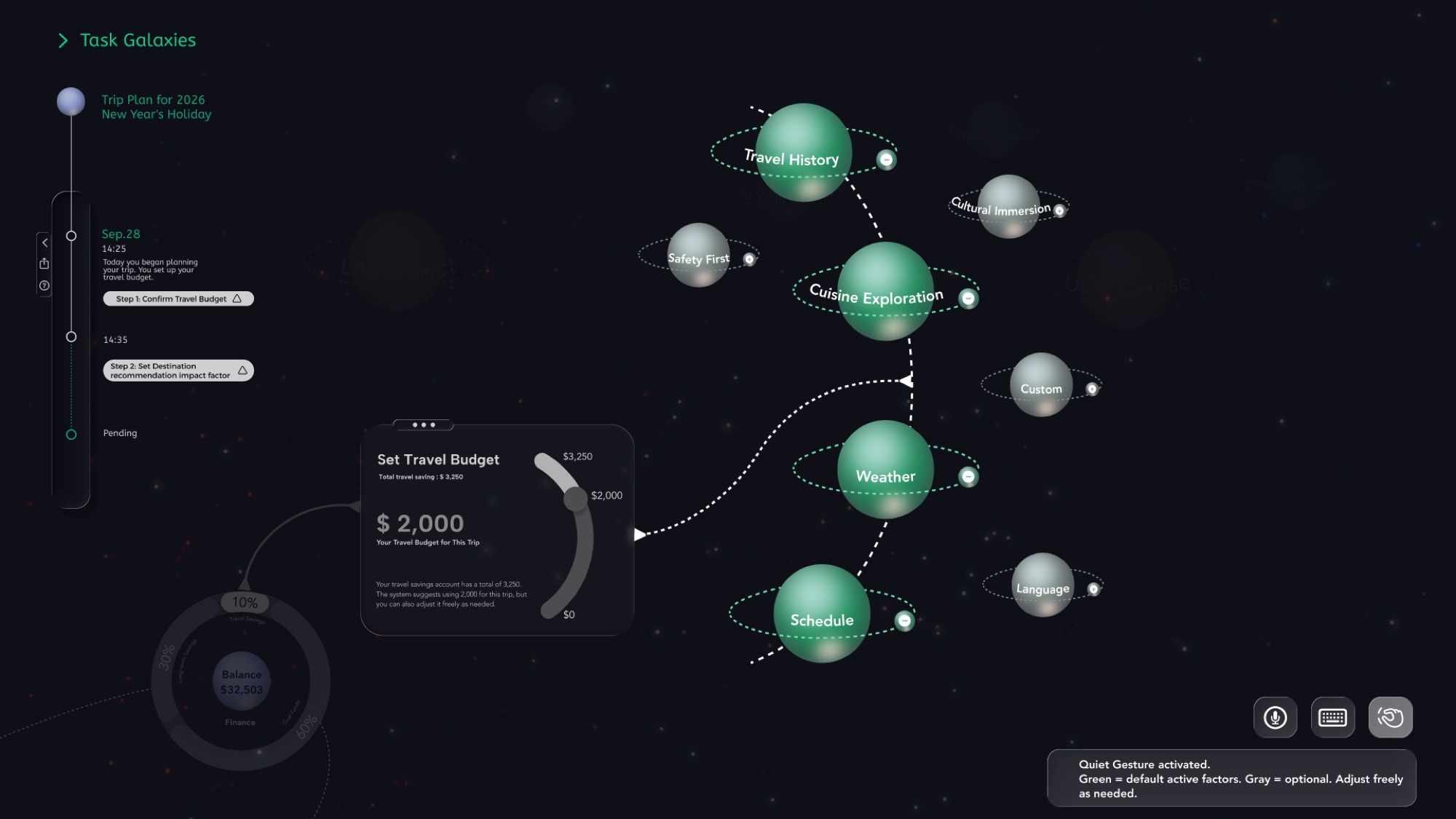
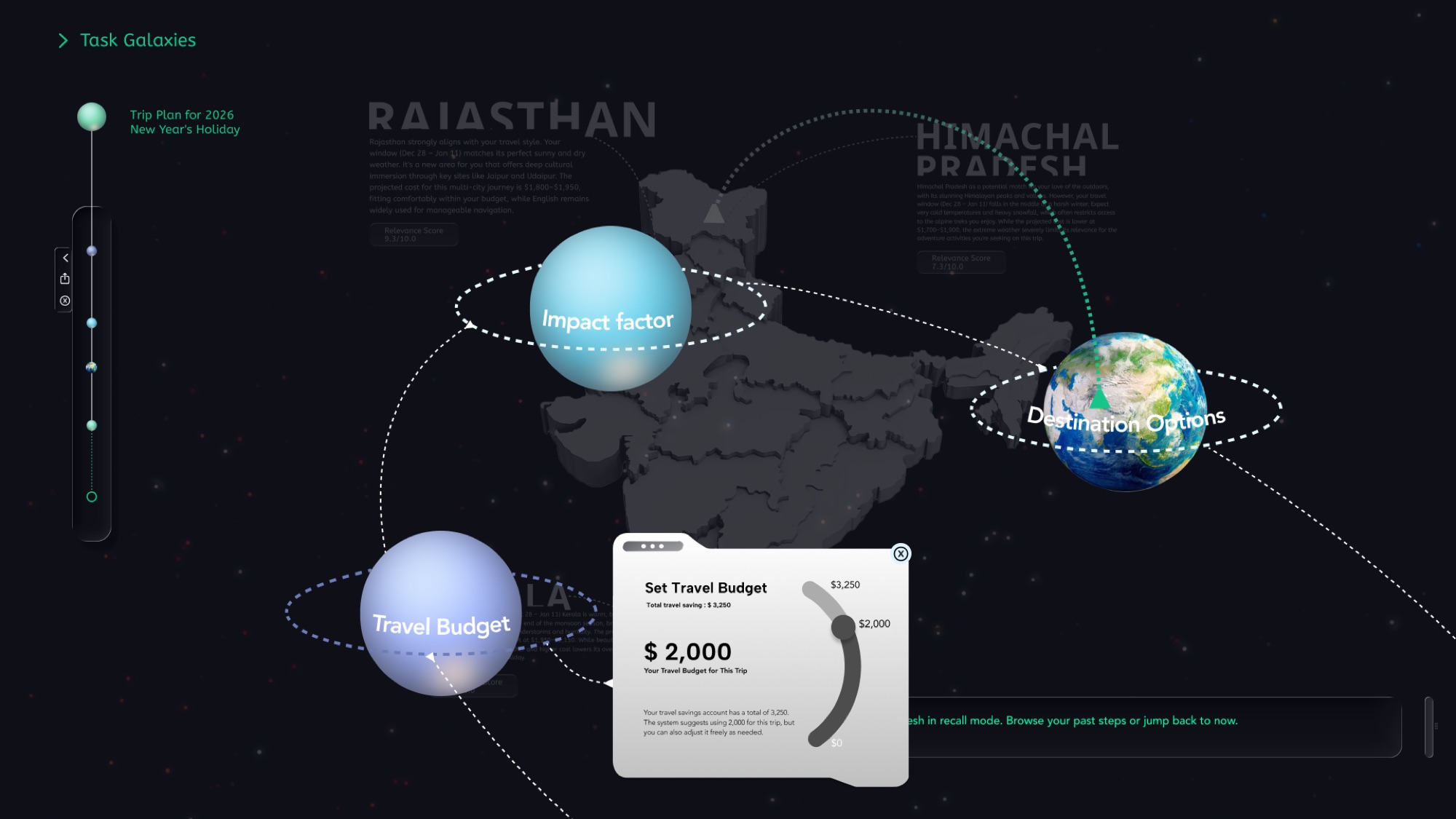
Stage 1 sets up the physical language between user and system. Interactions fall into four pillars, Navigation, Action, Transform, and Custom, the last for nuanced behaviors like Just-in-Time Quieting. A gesture library runs from Swipe, Rotate, and Zoom to Hold & Drag and Quiet. In the scenario, Laurel manages her travel budget and sets the preferences that shape destination recommendations.
Key interfaces
Stage 2: Multi-Agent Uncertainty
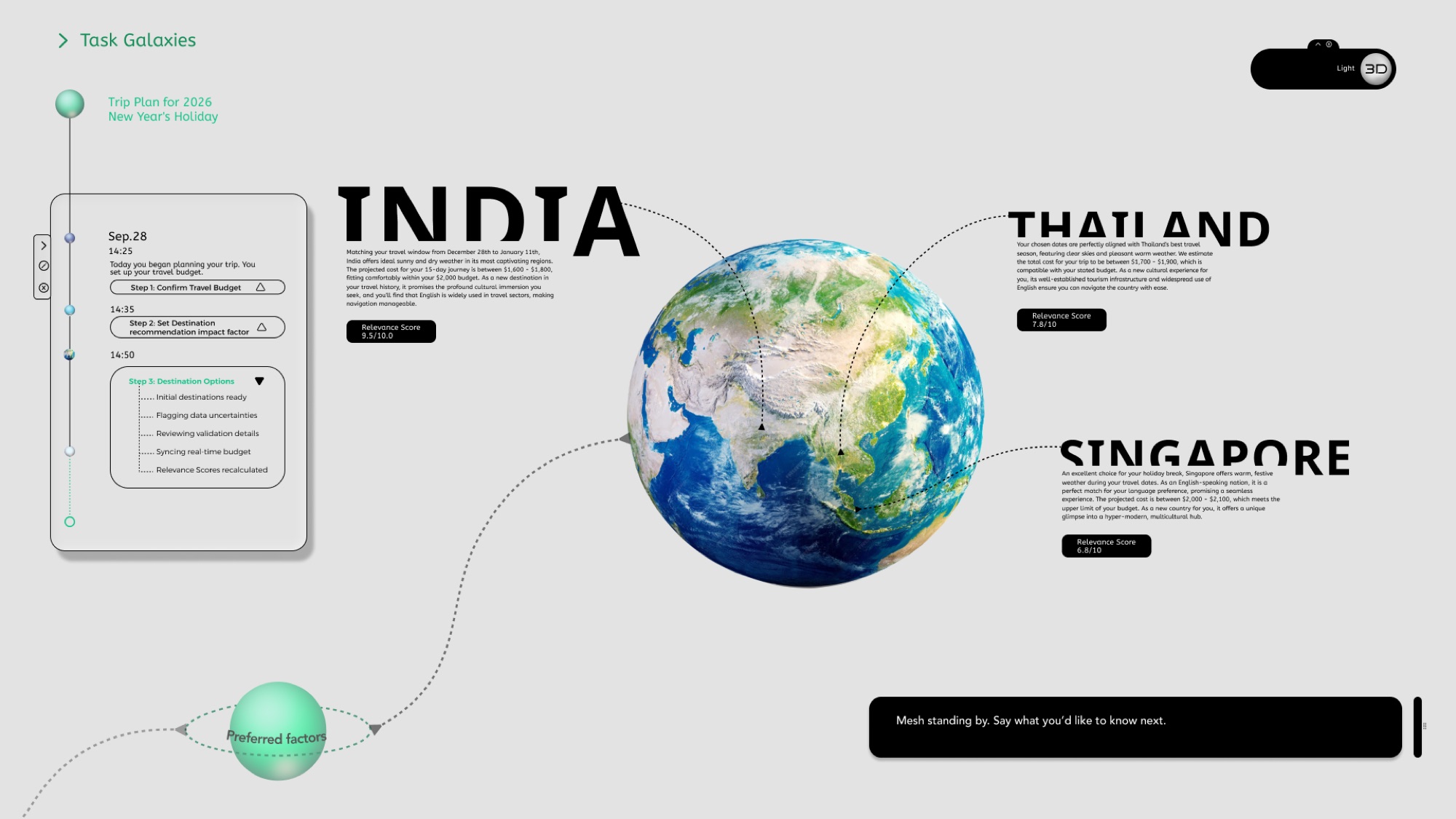
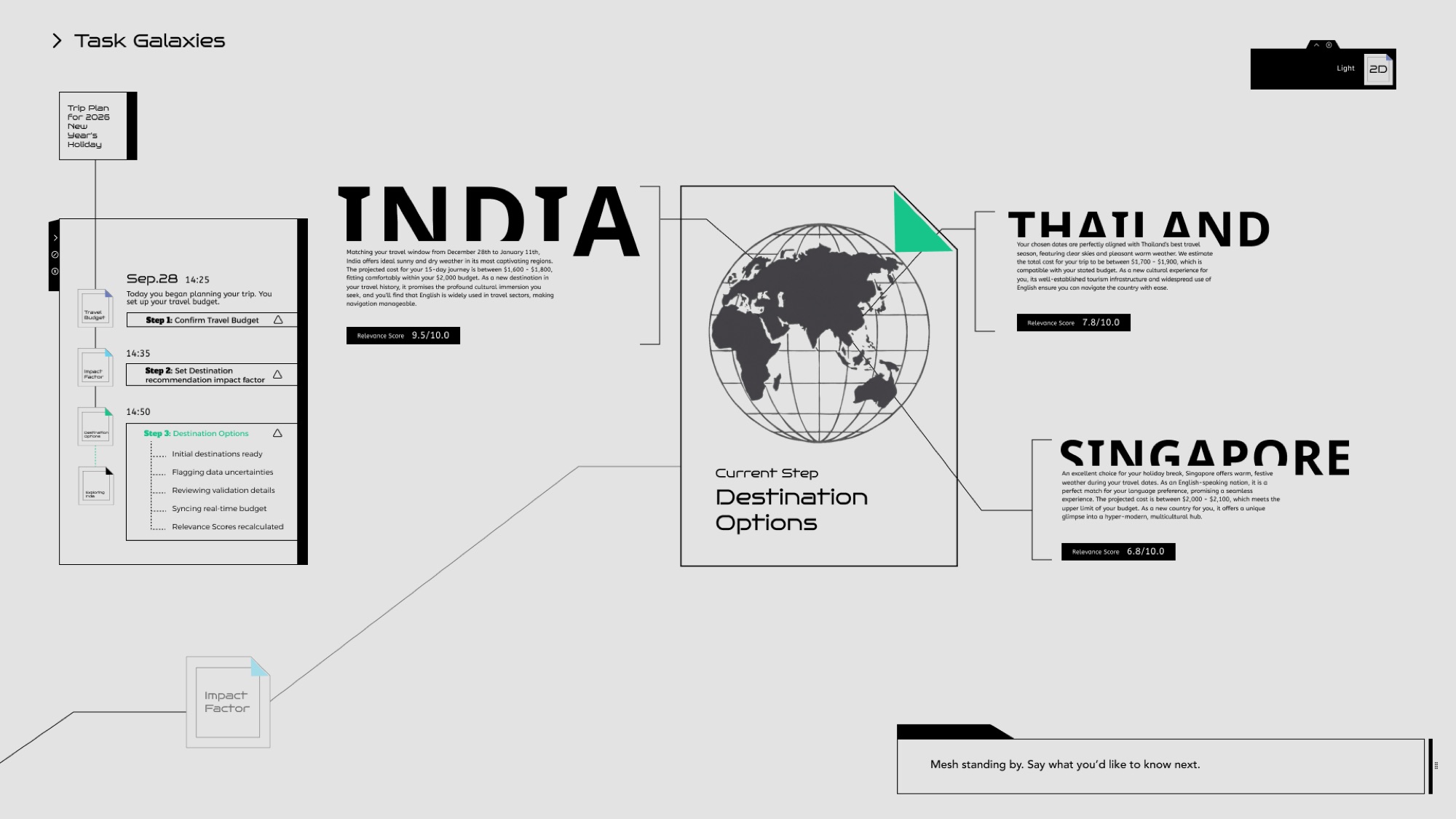
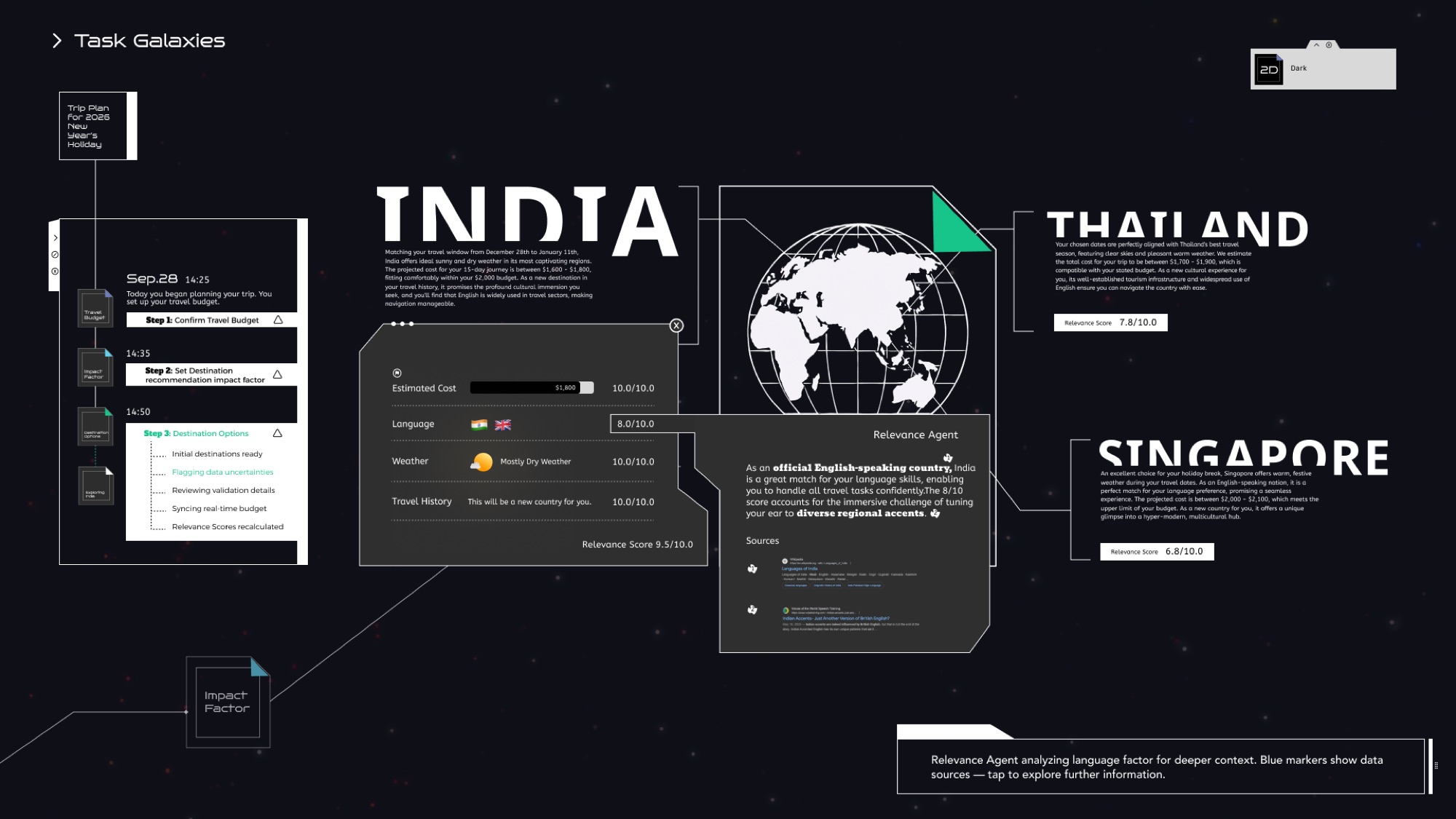
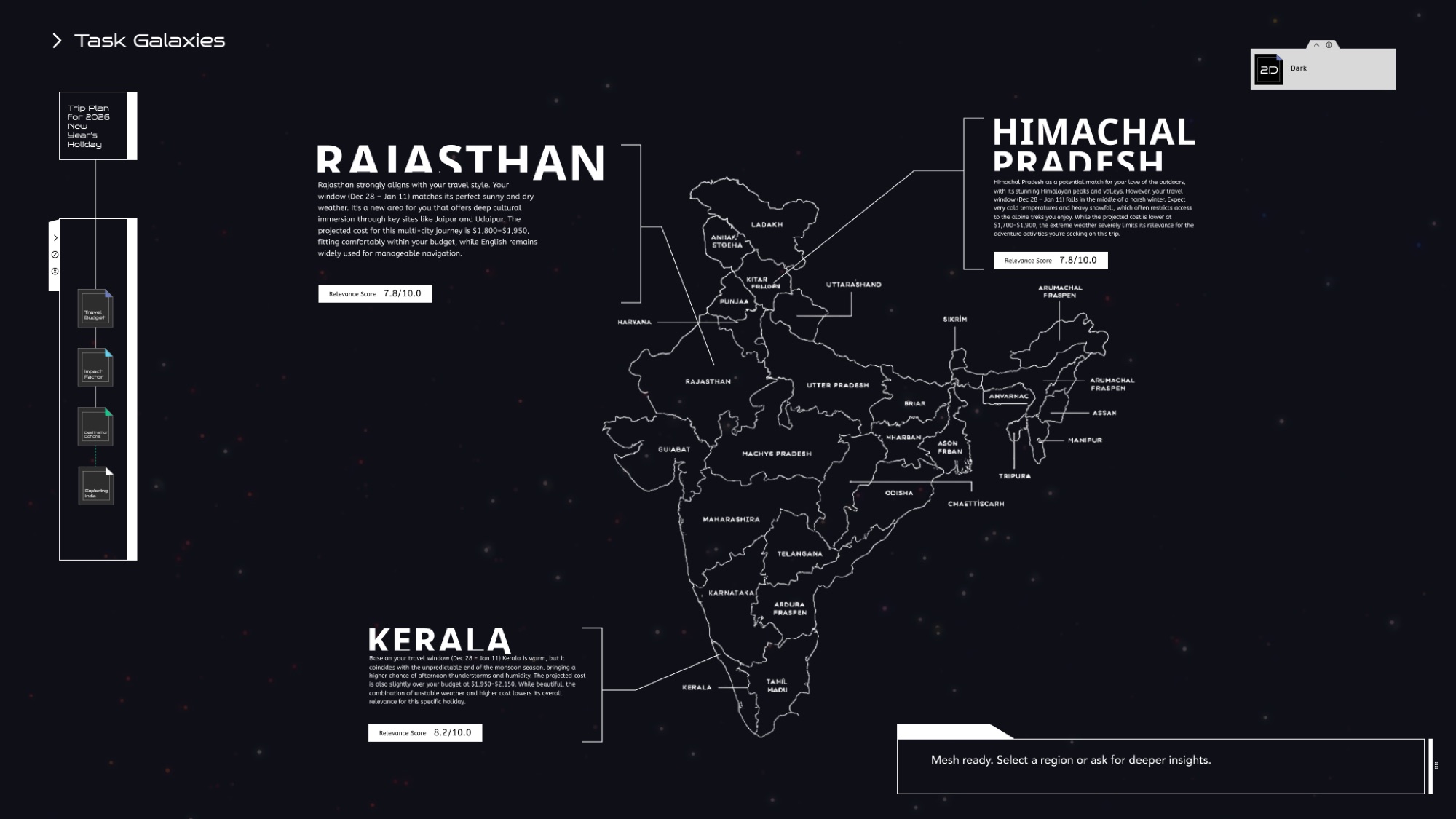
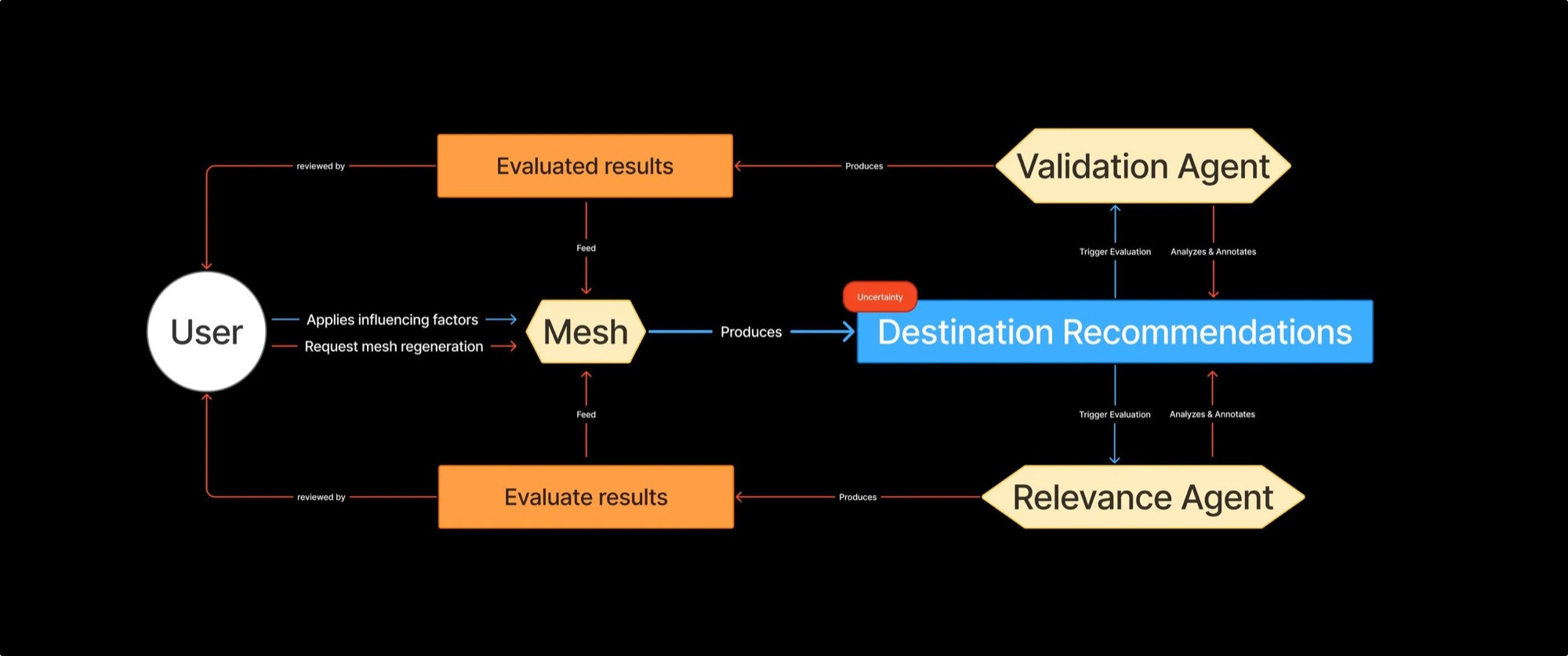
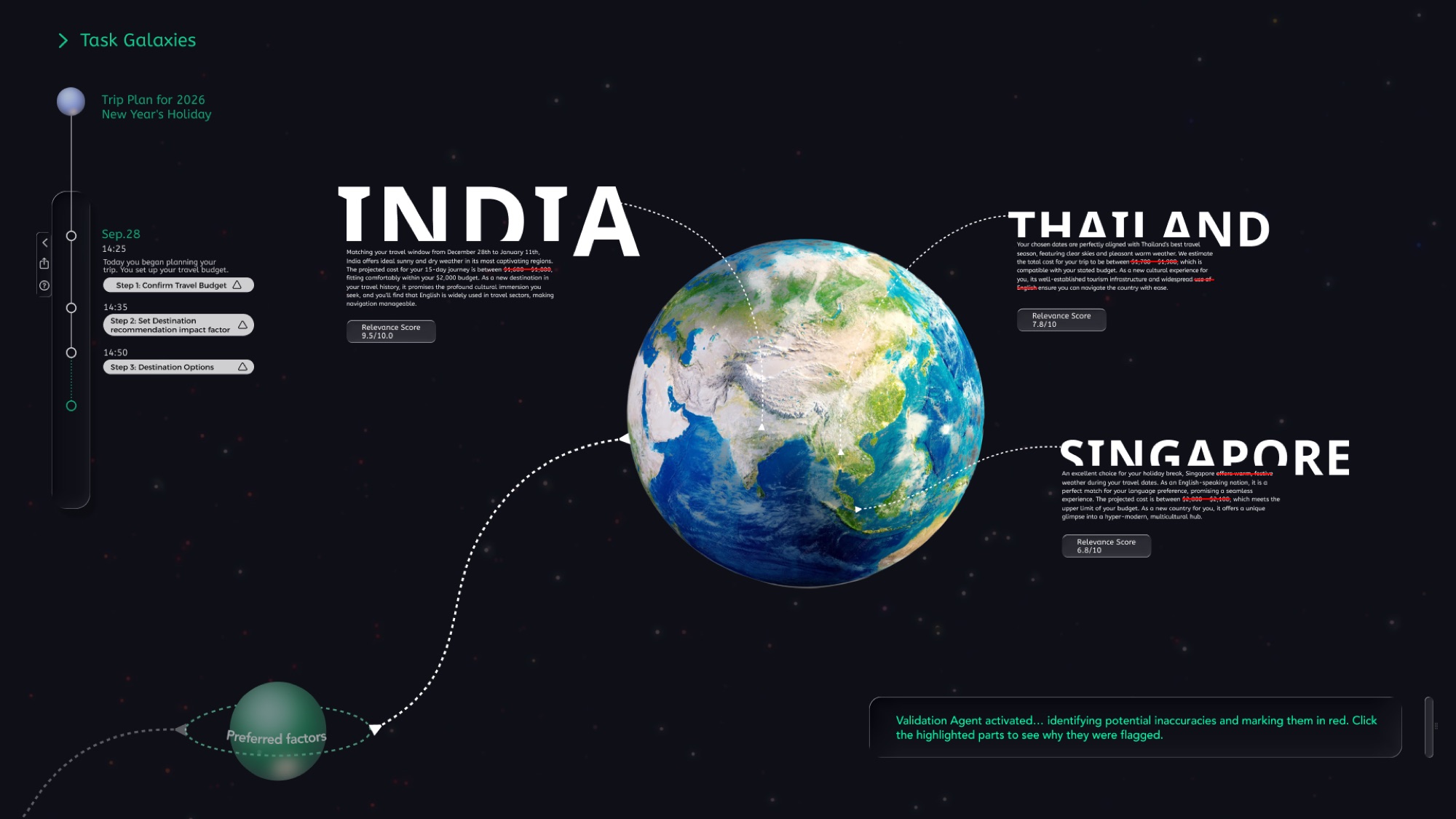
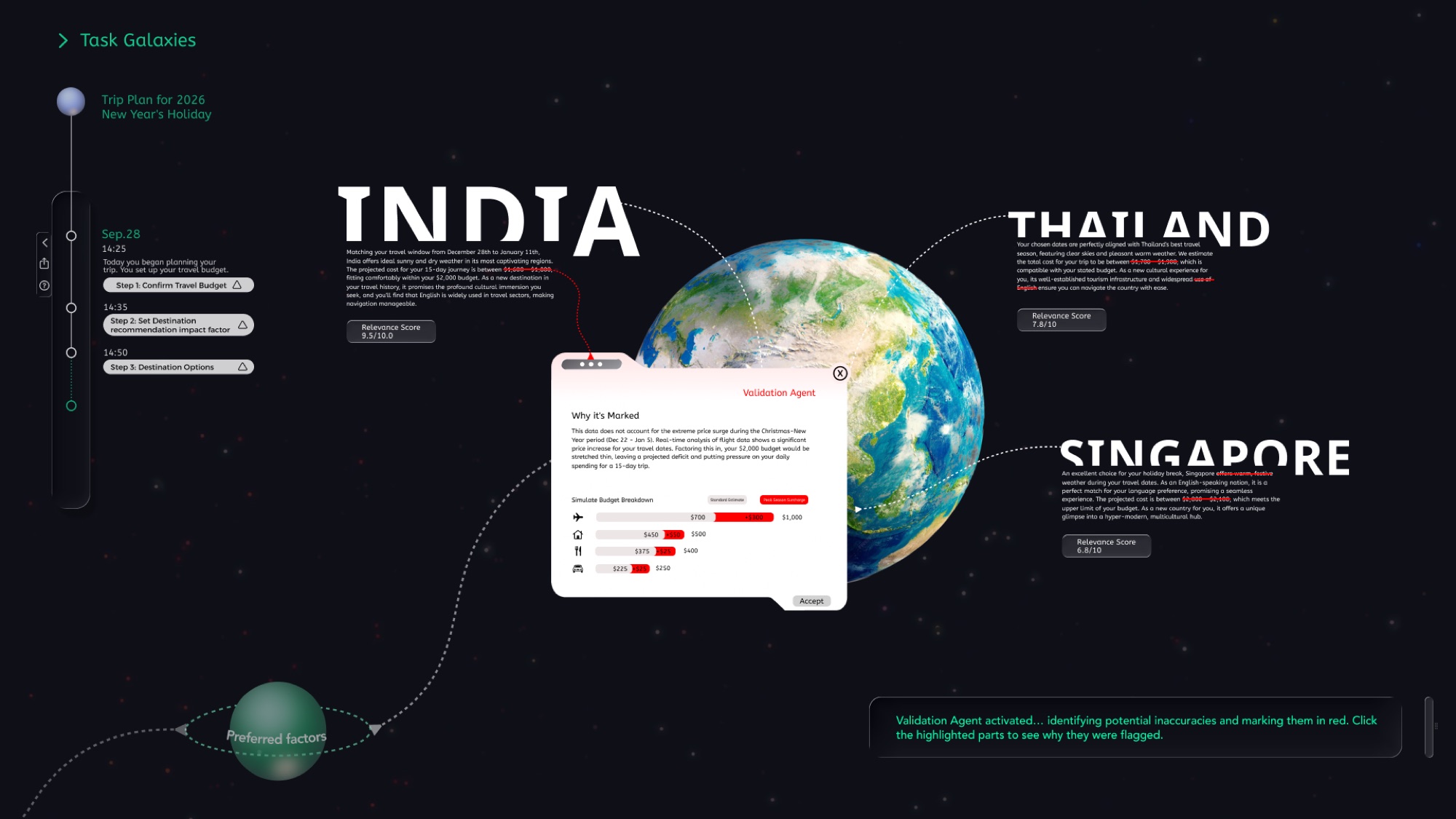
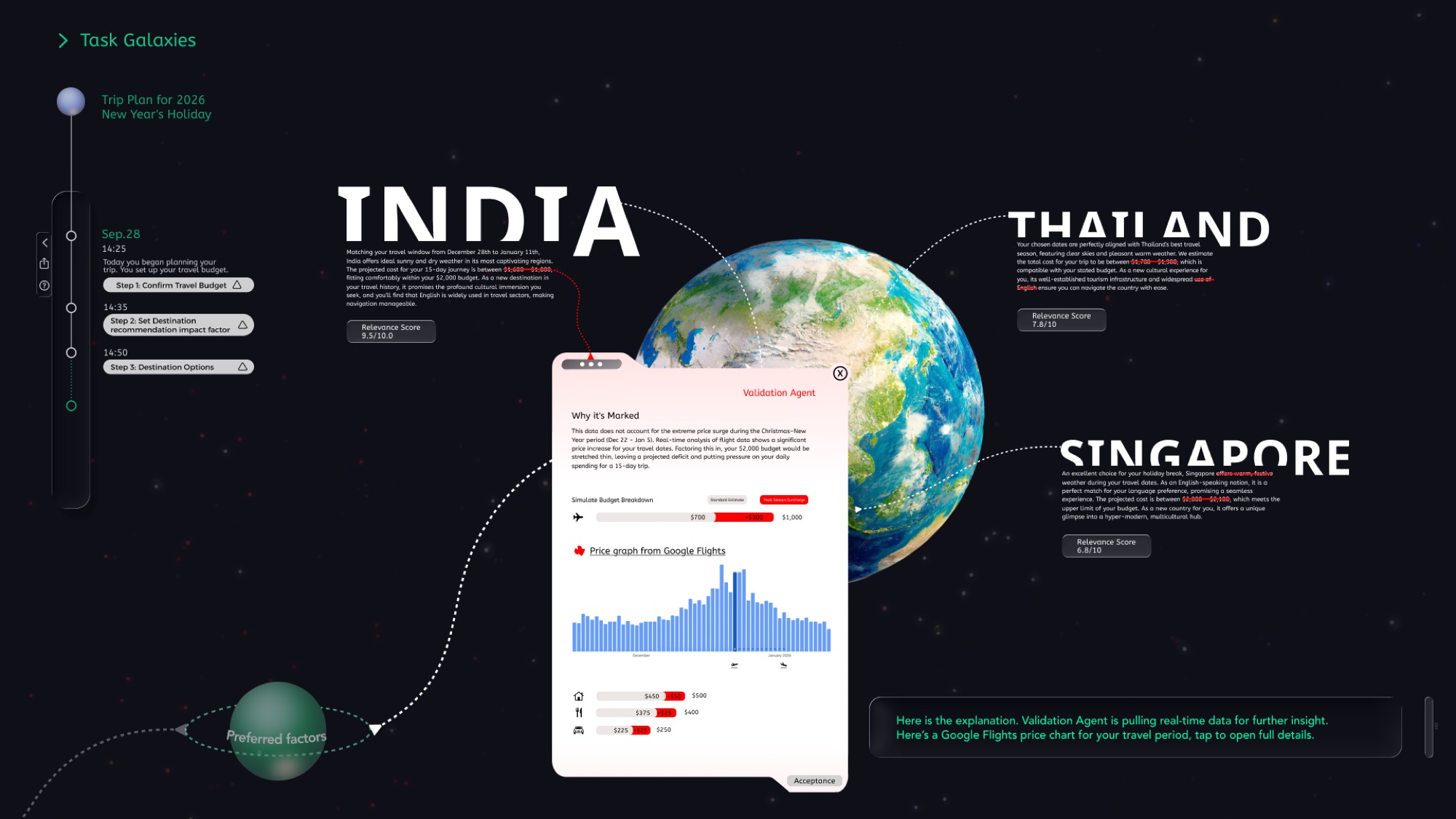
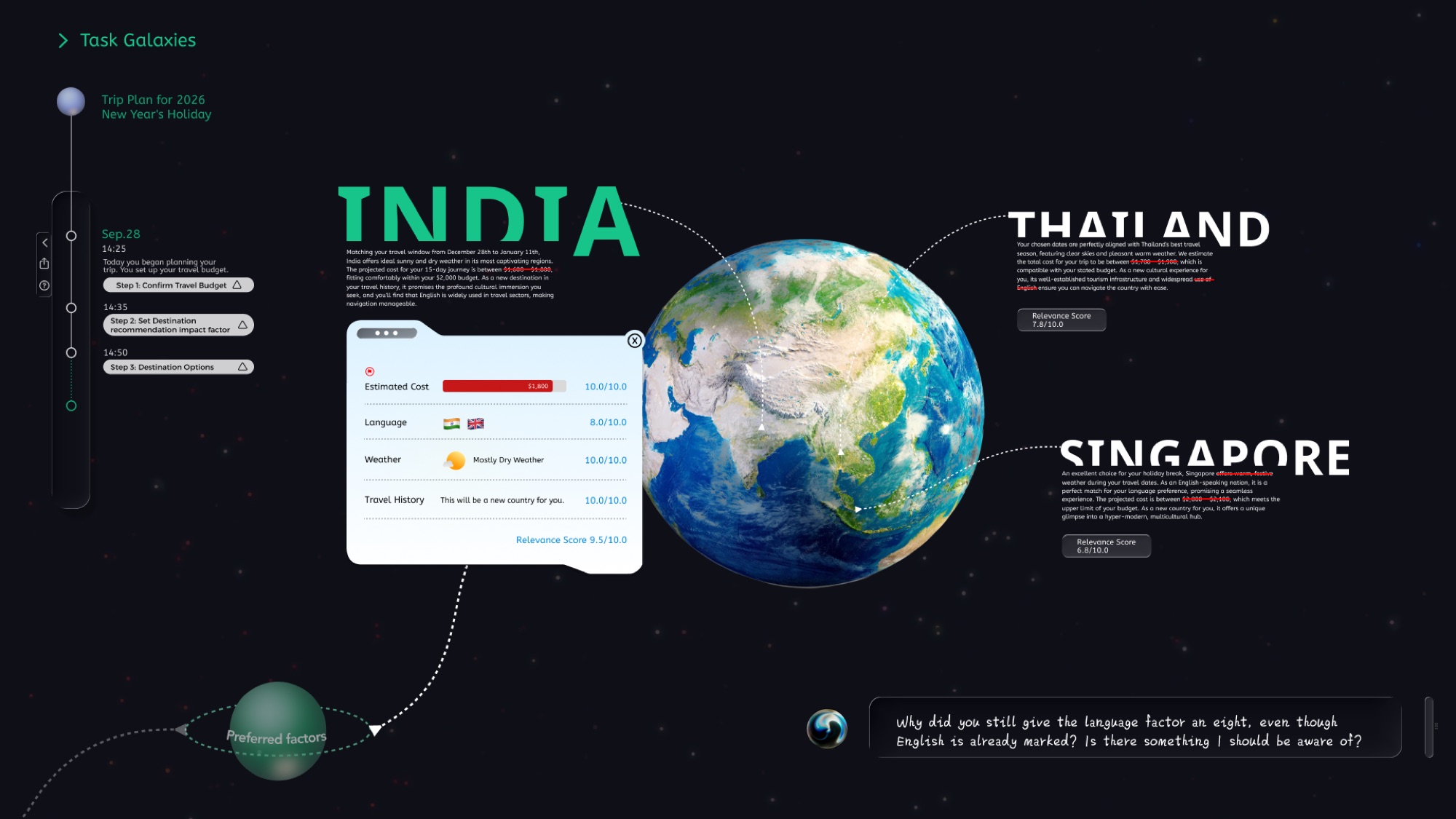
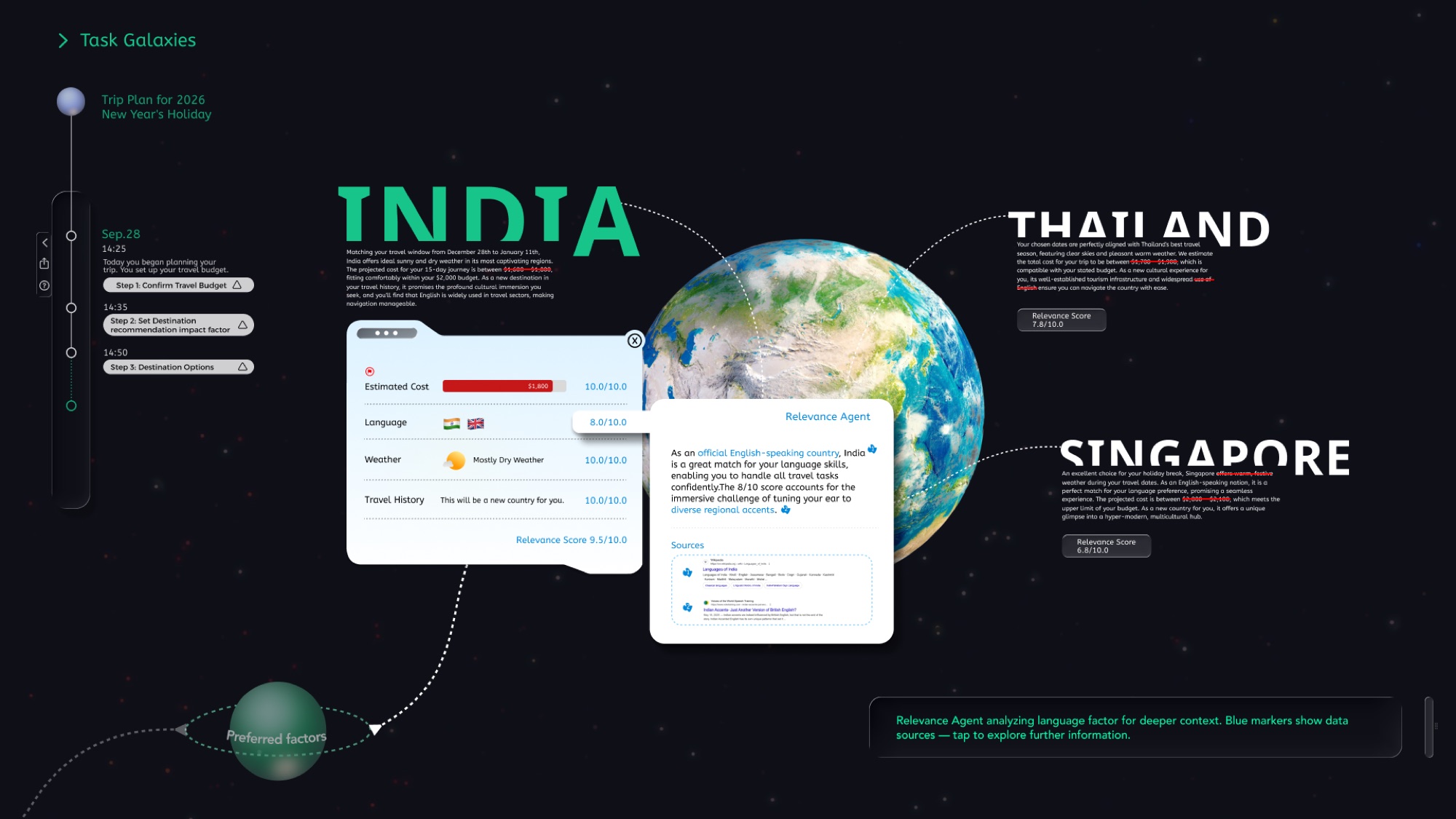
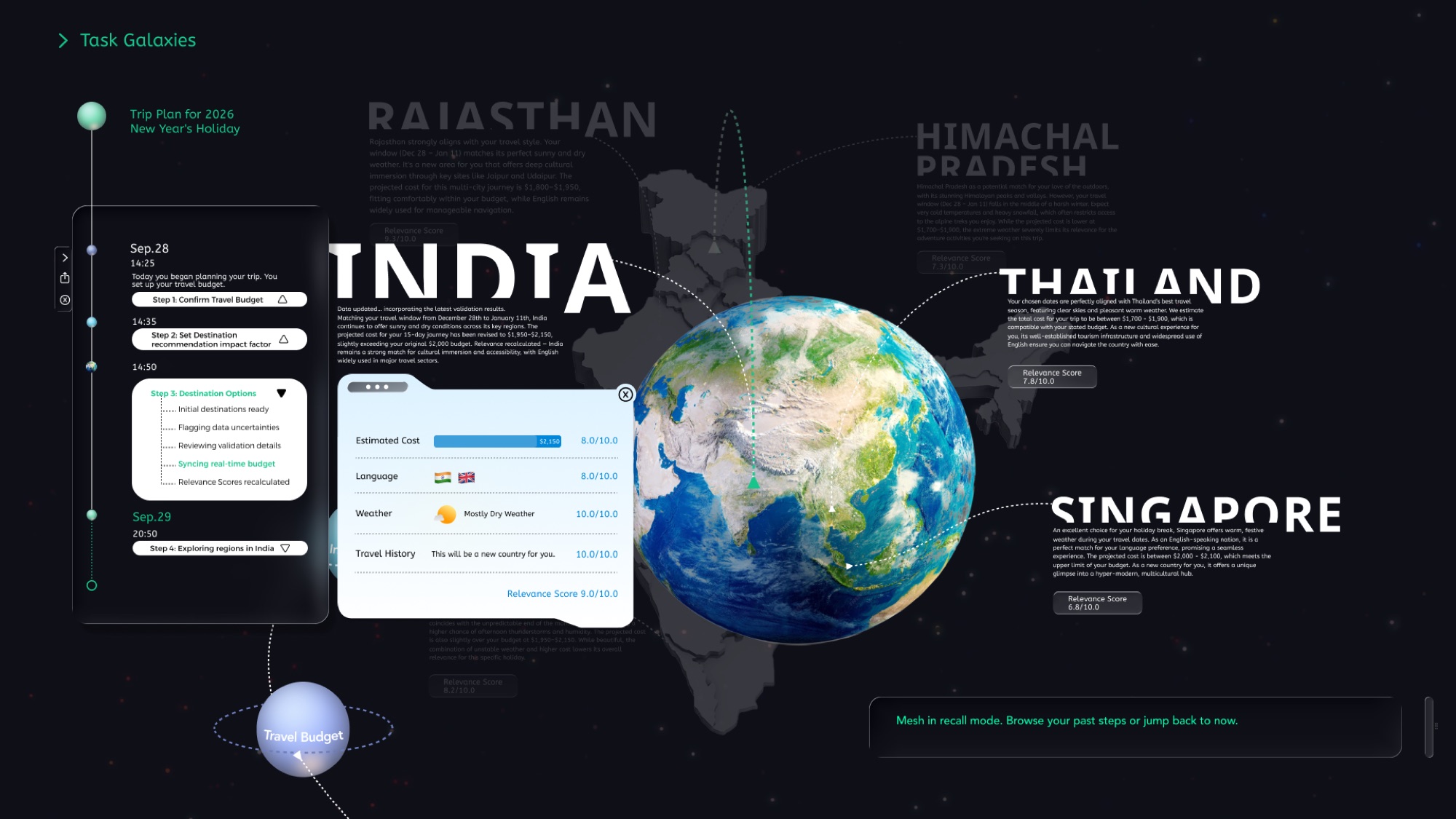
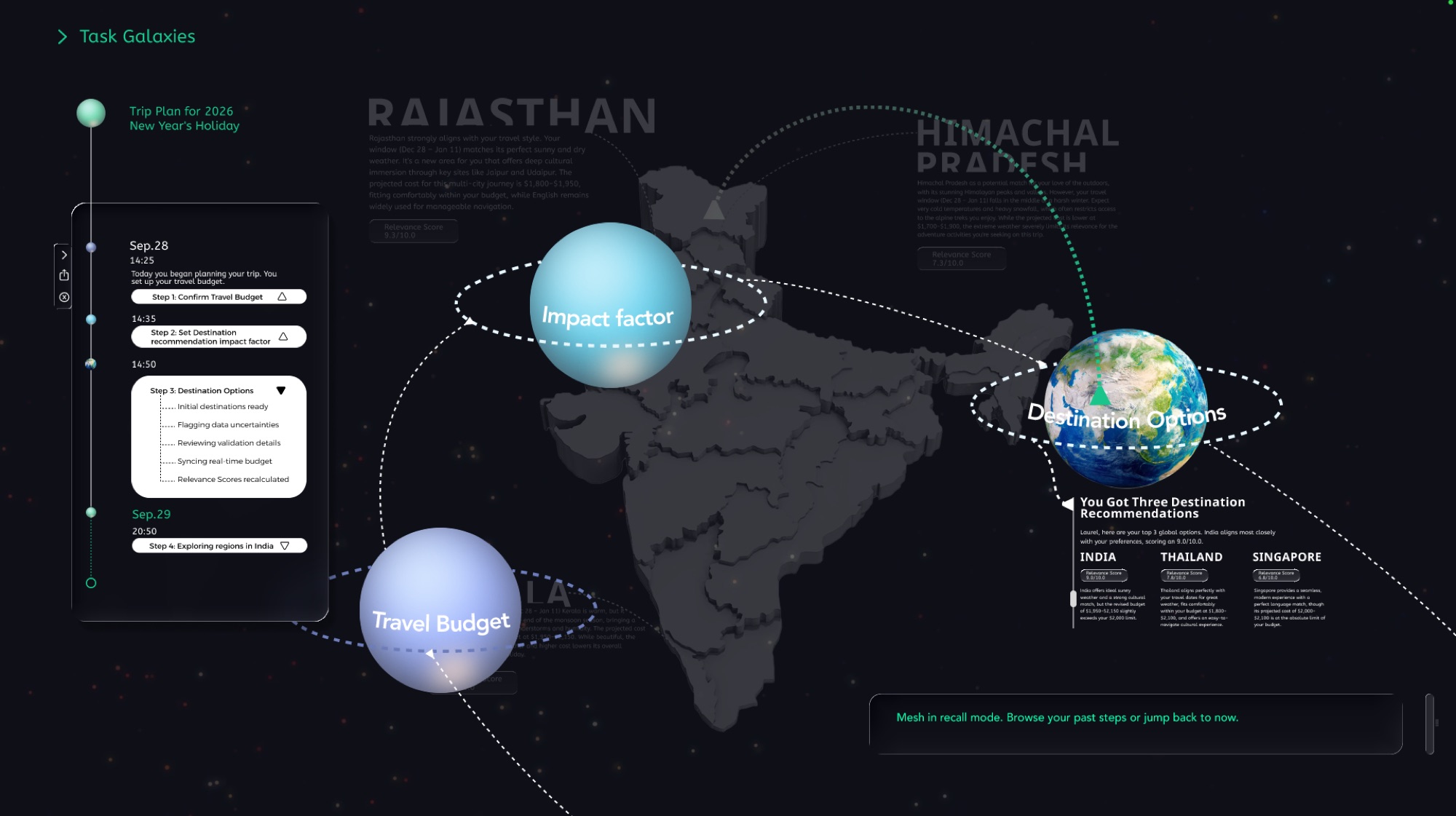
From Laurel's preferences, Mesh suggests three destinations: Thailand, Singapore, and India. Multiple agents work together to make uncertainty visible and to separate AI-generated information from referenced facts.
System logic
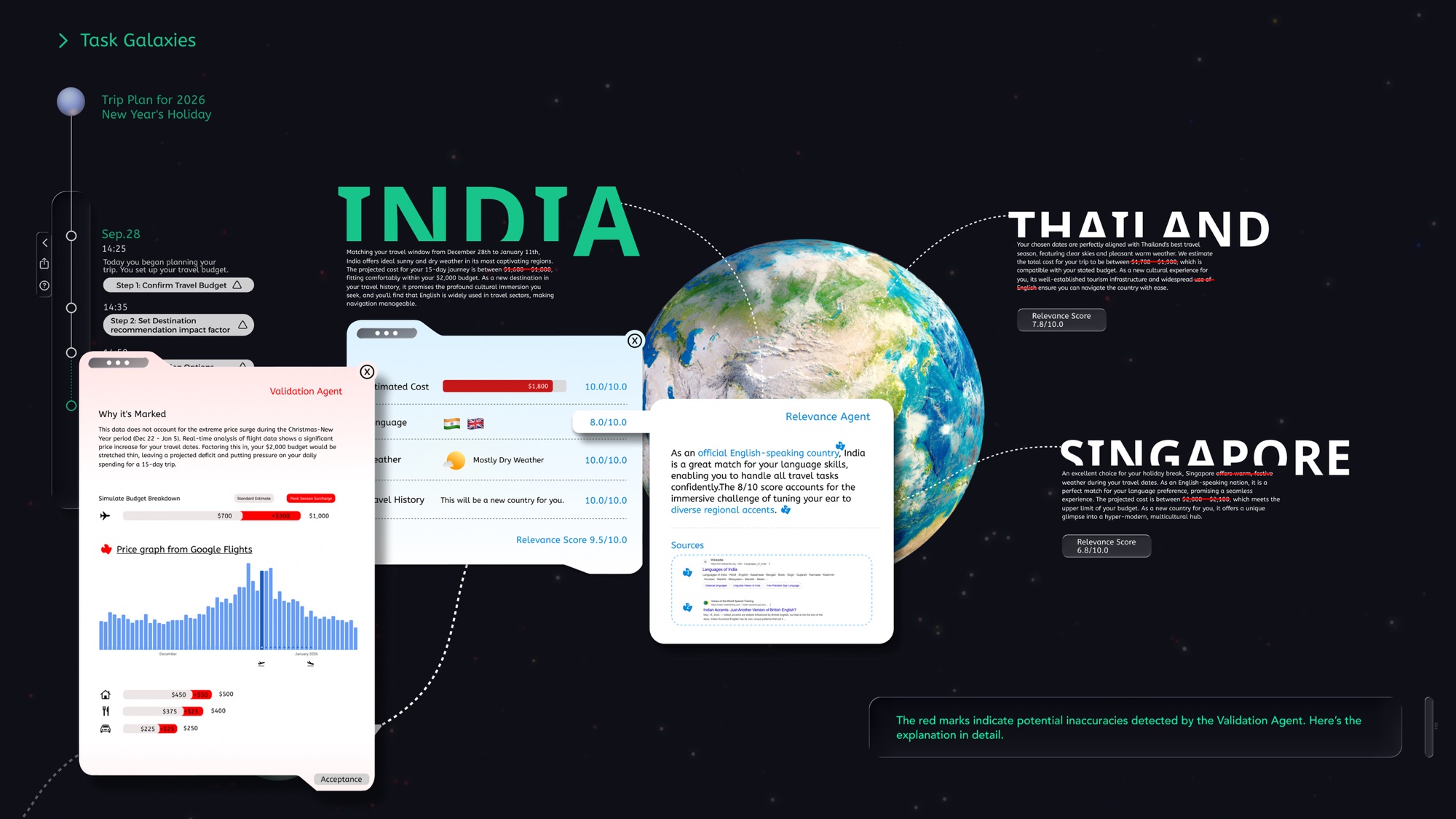
Generative AI is probabilistic, so a recommendation may be a real option or a hallucination. A Validation Agent checks factual accuracy and a Relevance Agent checks fit with the user's needs. Only after both does raw output become a trusted recommendation.
Visualizing uncertainty
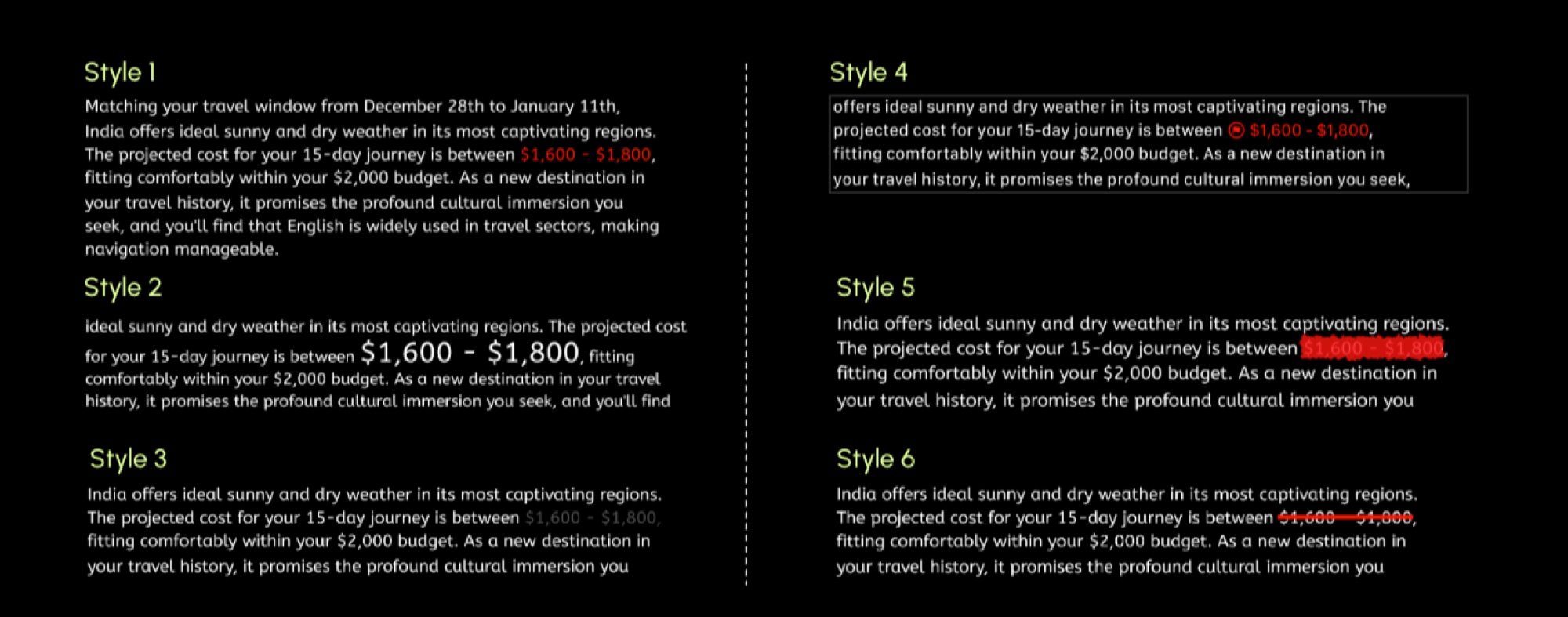
The type treatment had to flag AI-estimated data without hurting legibility. After six iterations, Style 6 signals that data is tentative while keeping the text clear.
Key interfaces
Stage 3: Time, Collapse & Meaning
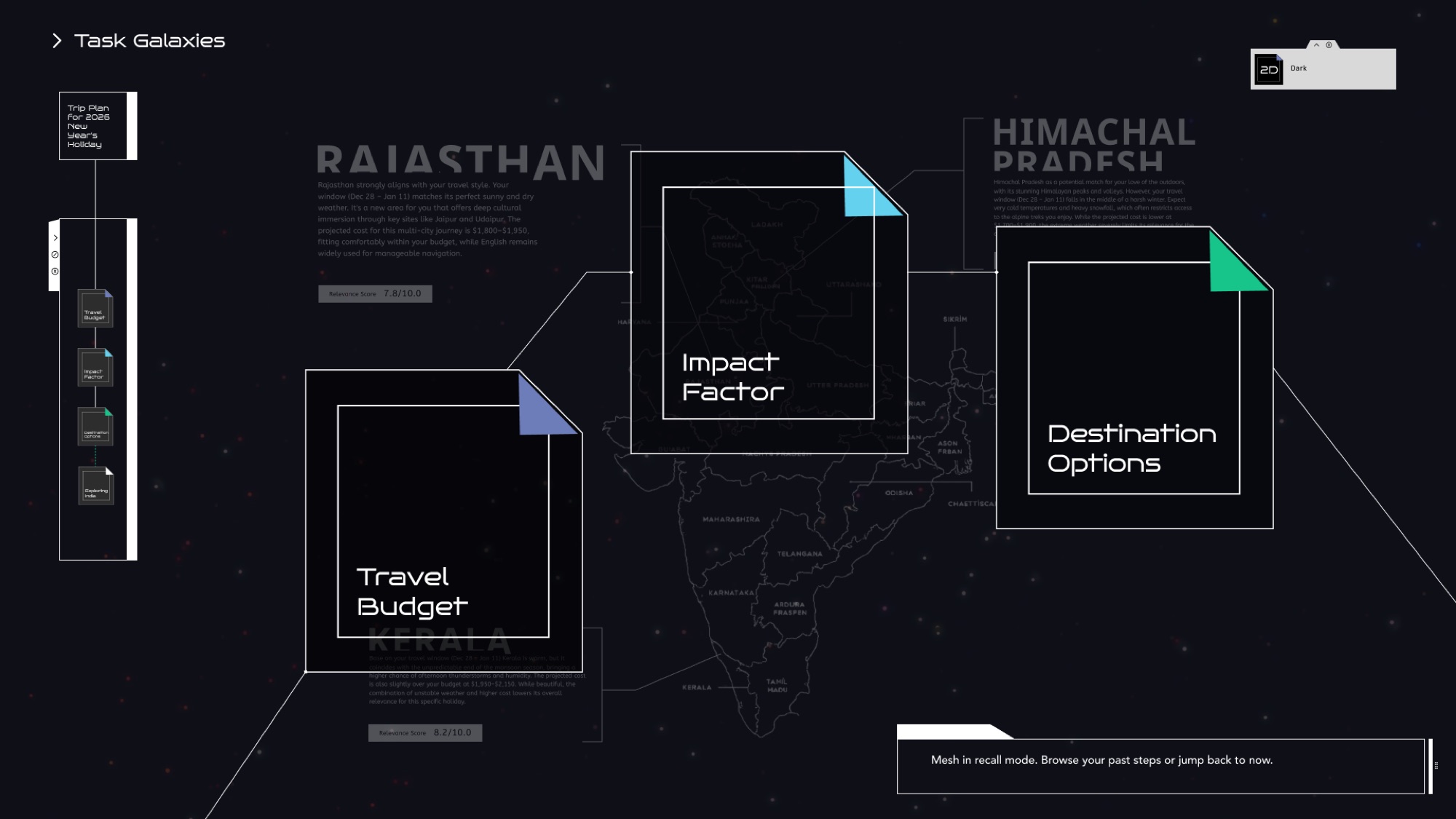
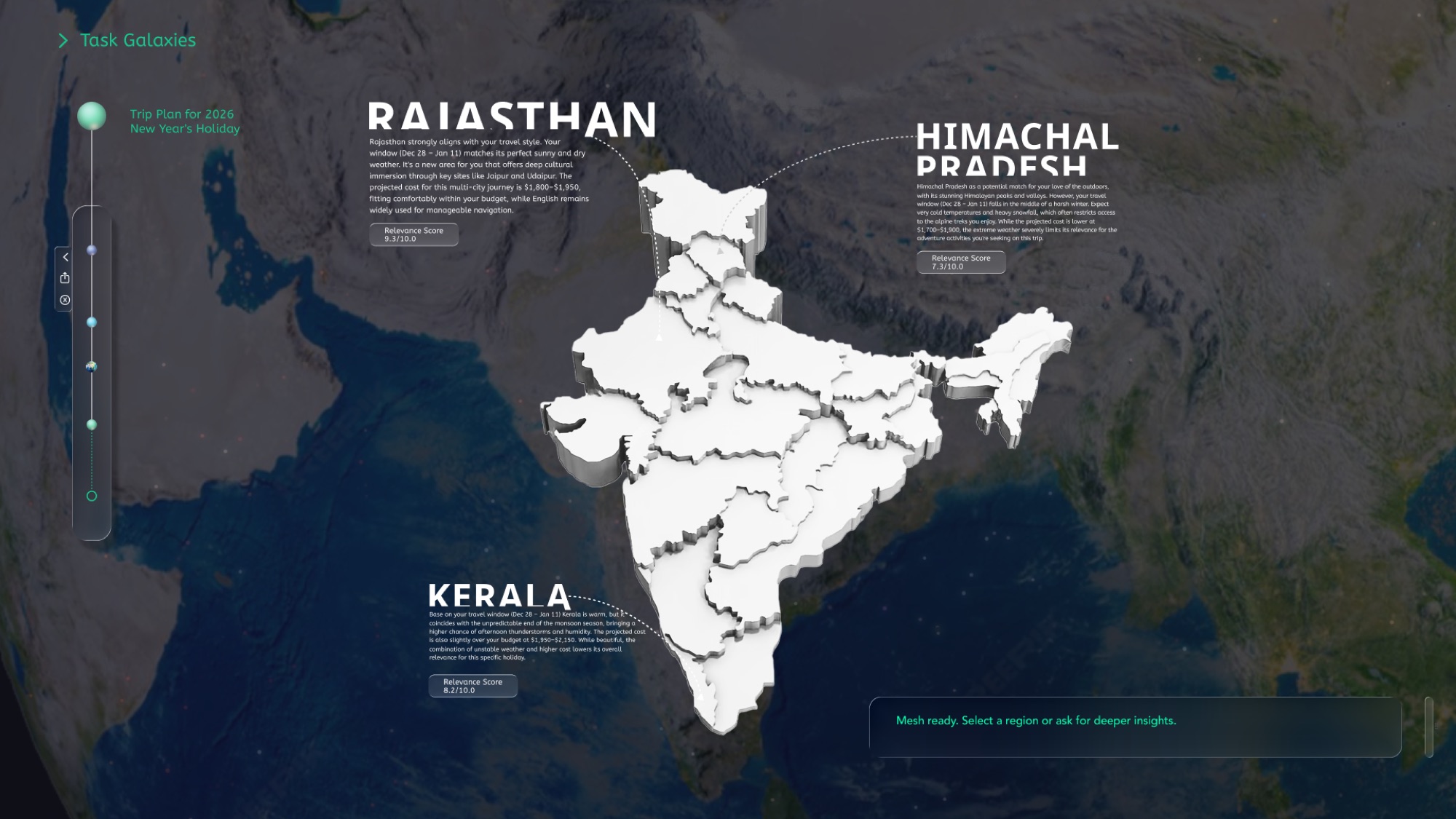
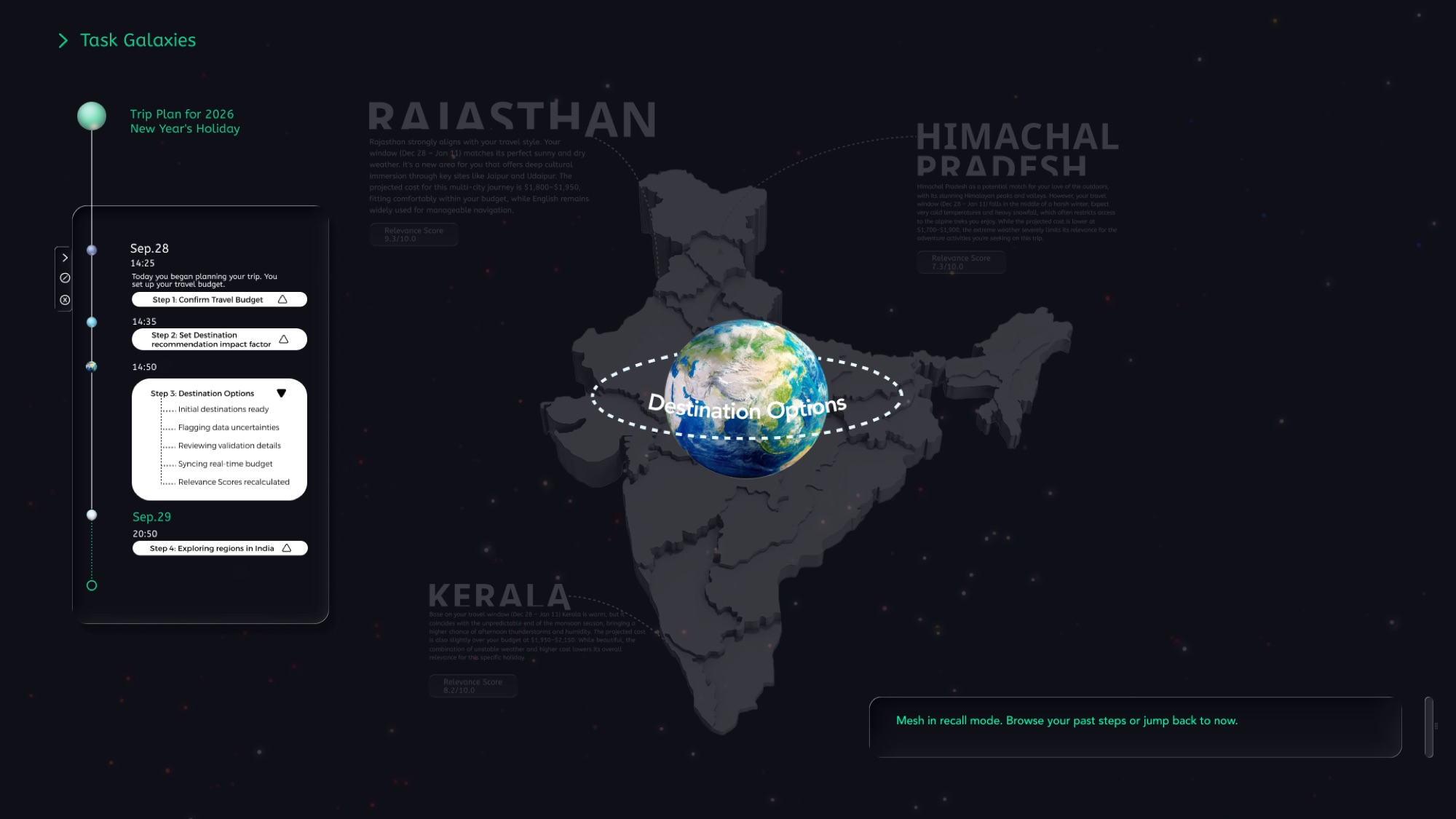
Exploring where to go in India, Laurel looks back at how her earlier decisions were made. Temporal Elevation Layering, Information Collapse Gradations, and Emergent Meaning Pathways let her browse the history of her planning.
Timeline and symbolic navigation
A timeline records what was decided and when; each step expands into a summary and can be revisited in context. Surrounding planets link to sub-tasks and goals: small planets open details, the main planet zooms out to the whole journey.
Multi-level display and infinite zoom
Three tiers keep the user anchored: timeline markers above, the active view in the center, and a blurred return layer below. A continuous scroll treats time as depth, zooming out to reveal earlier stages without changing pages.
Information collapse gradations
Density adapts on a three-layer stack: fixed info, active view, and current task. Core elements such as the timeline collapse to keep focus; hovering a planet belt shows a summary, and a slider expands detail where moments are dense.
Key interfaces
Stage 4: Style & Accessibility
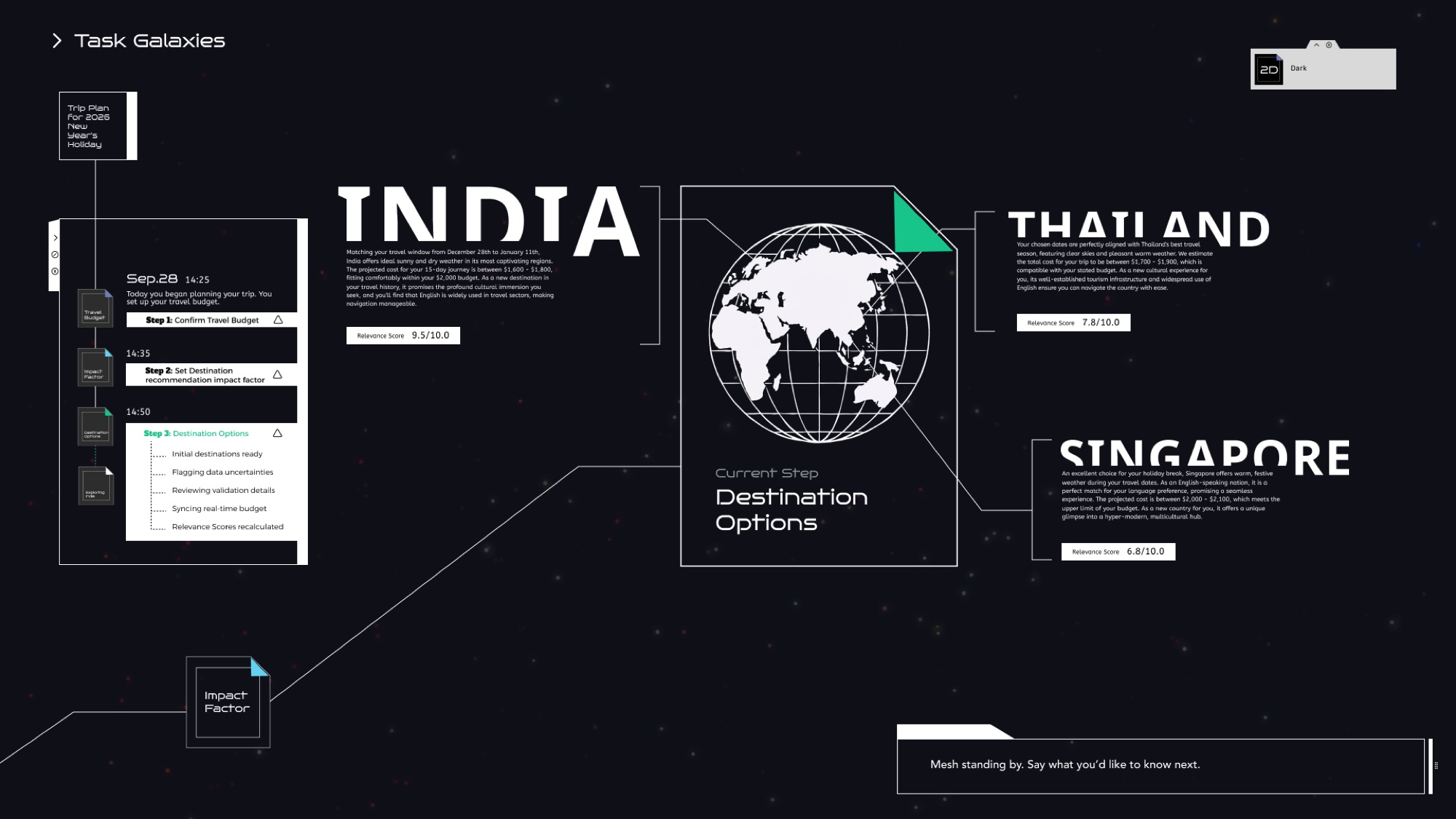
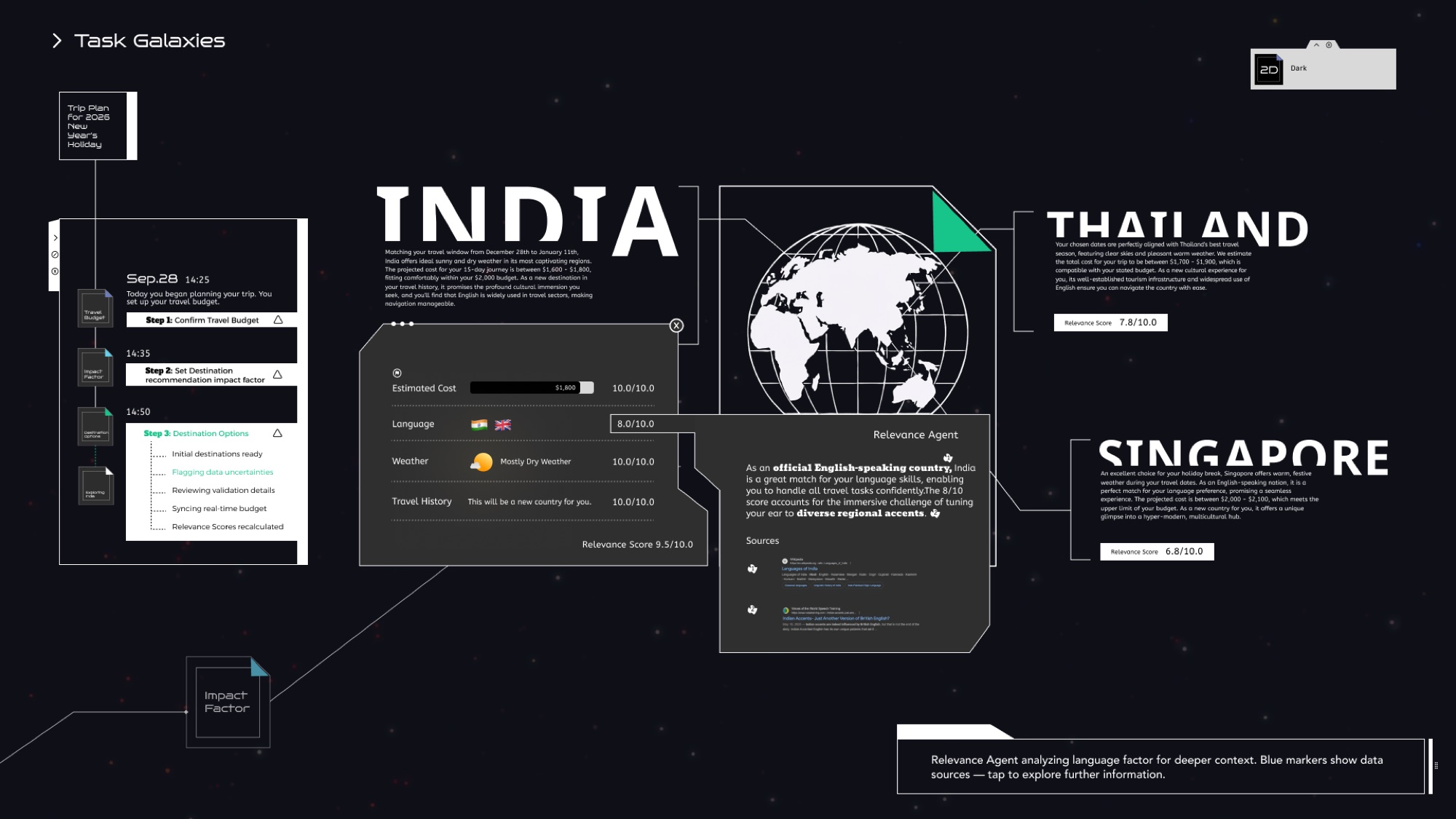
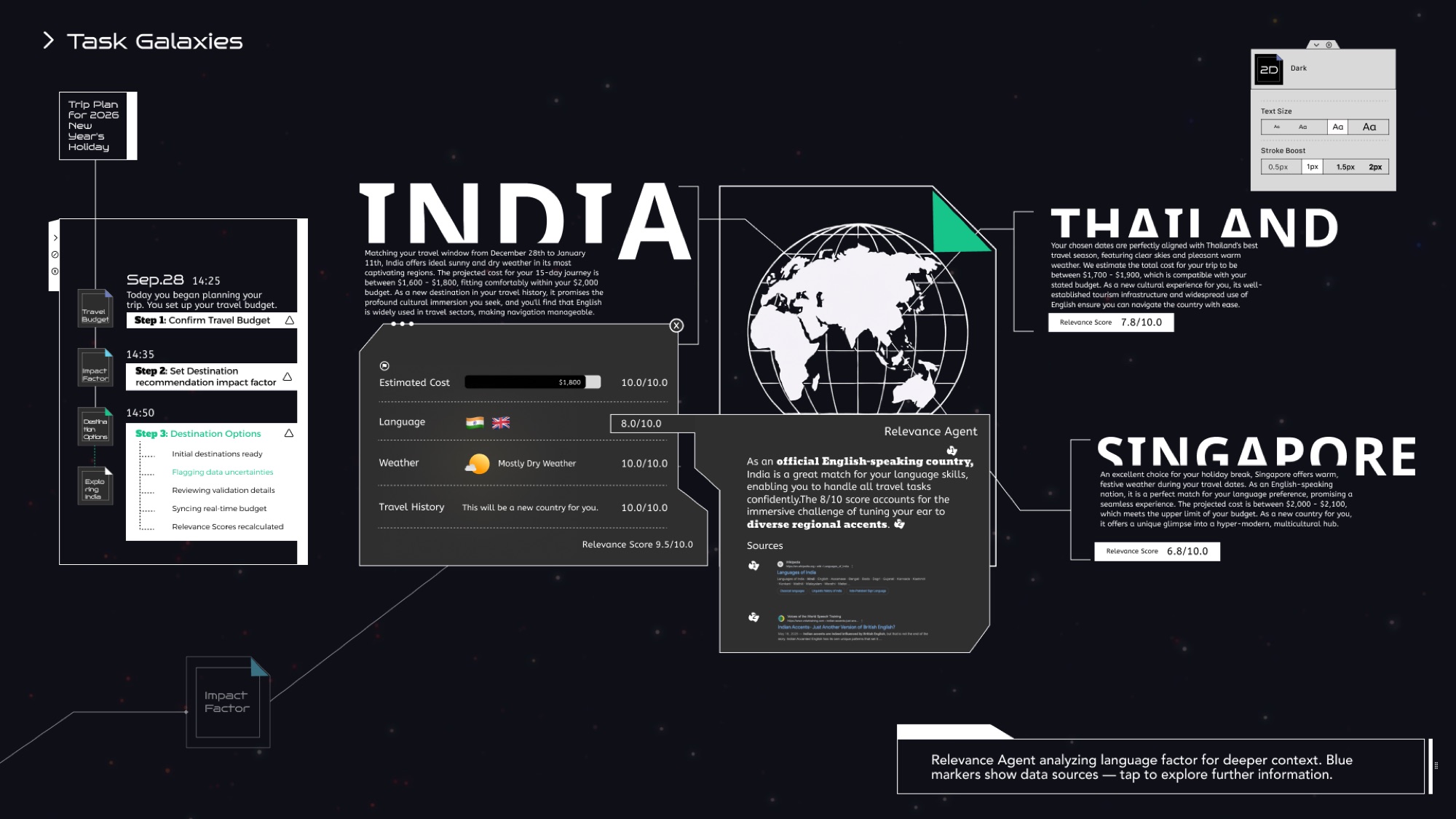
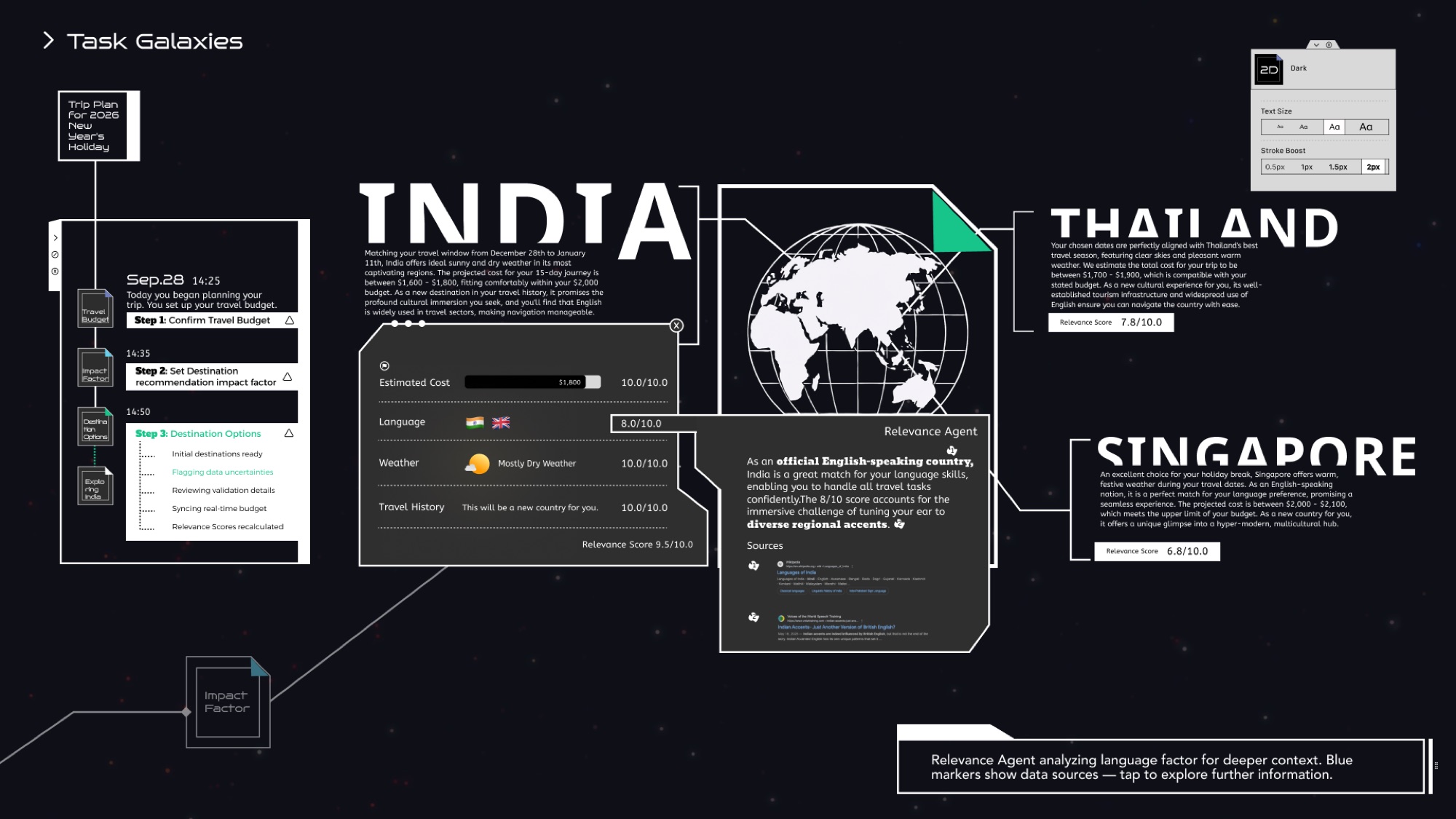
A system update brings style switching and accessibility controls. Laurel tries modes, themes, and visibility settings, and the interface changes while its information relationships stay stable.
Themes and modes
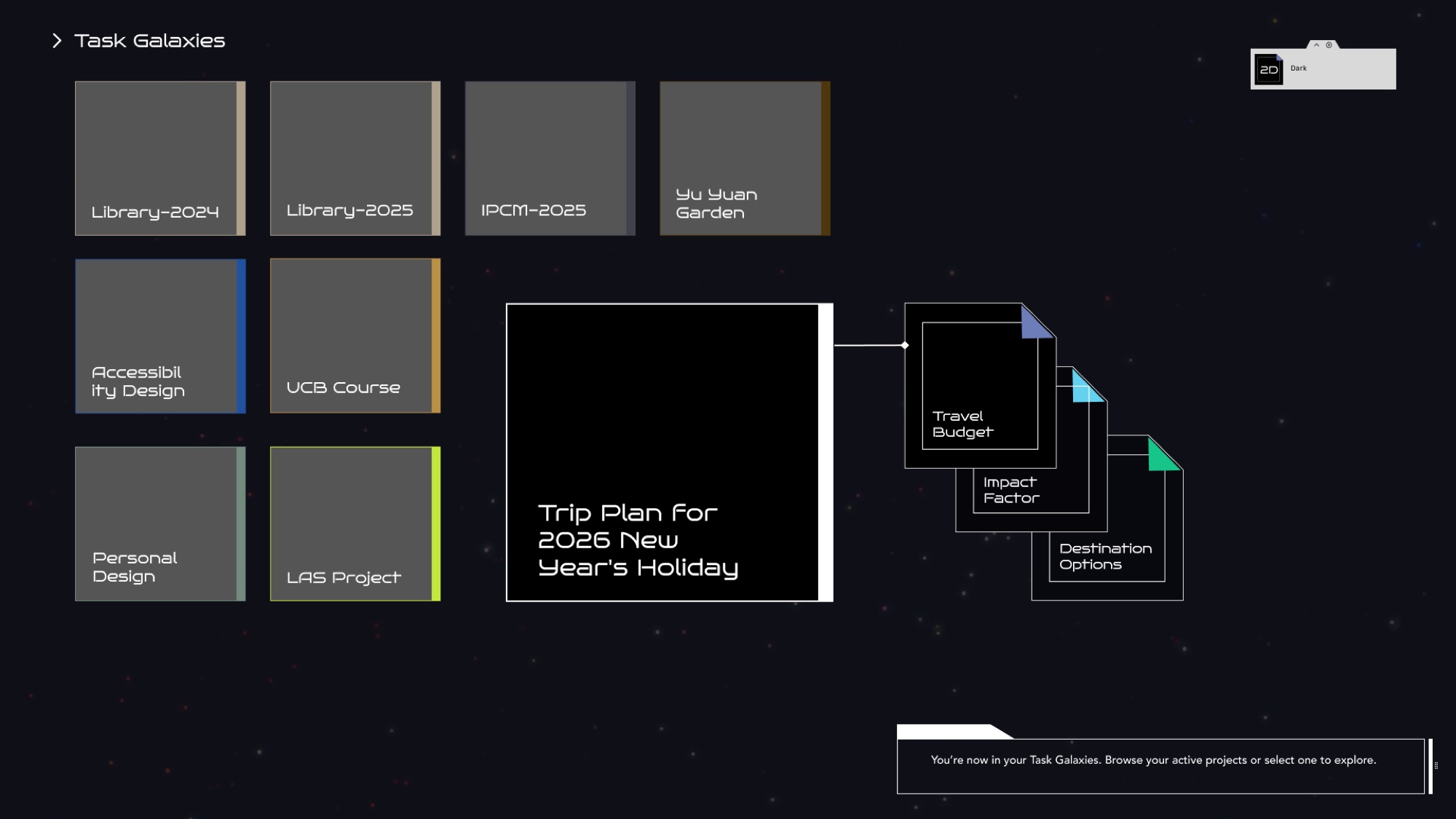
Dark and light themes keep layout and spacing identical while contrast adjusts for legibility; Mesh Green stays constant as an anchor. In 3D mode, tasks orbit as glowing planets; in 2D mode they flatten into nodes and dotted edges that show only the structure.
Text size and stroke boost
Because Mesh is mostly text and boxes, accessibility focuses on type and strokes. Four text-size presets scale the whole type stack by a fixed +2 / –2 ratio so hierarchy never breaks. Stroke Boost thickens timelines, orbits, and cards from 0.5px to 2px for users with low contrast sensitivity.
Key interfaces